

CyberPowerPC Ryzen 7 8700F
4.3/ 5
Ryzen 7 8700F processor
RTX 5060 Ti 8GB
16GB DDR5 memory
1TB NVMe SSD
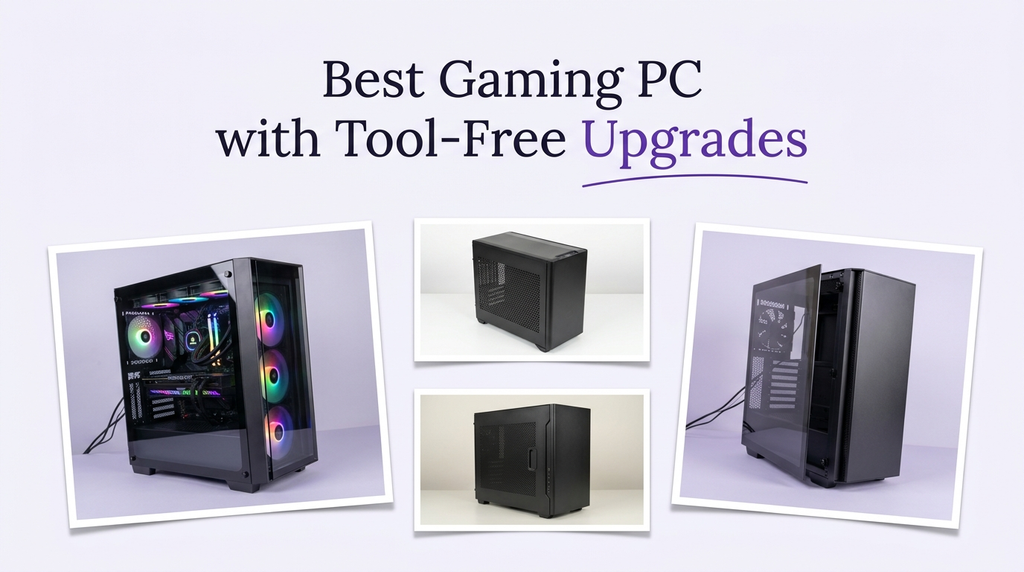
A gaming PC with tool-free upgrades is easier to maintain, expand, and keep current. Tool-free access usually means a removable side panel, toolless drive trays, or quick-release mechanisms that let you swap memory, add storage, or upgrade a graphics card without hunting for a screwdriver. That convenience matters if you plan to keep a desktop for years and want to add capacity or performance without paying a shop.
Not every desktop marketed as a gaming PC is designed for easy upgrades. Some compact cases and prebuilt designs use proprietary parts, limited clearance, or panels secured by hidden screws. Others use standard ATX or microATX components with accessible slots and toolless drive bays. Buyers should check the case design, motherboard layout, power supply headroom, and available drive bays before assuming an upgrade will be simple.
To build this guide, we compared the listed specifications and customer ratings across all ten desktops. We weighed case accessibility, graphics card tier, processor, memory and storage, cooling design, power supply, and connectivity. We also considered how each machine fits a long-term upgrade plan rather than ranking by price alone. The recommendations reflect specification-based reasoning, not measured test results.
4.3/ 5

4.2/ 5

4.3/ 5
As an Amazon Associate we earn from qualifying purchases, at no additional cost to you.
Swipe across to compare all columns
| Product | Key highlights | Rating | Explore |
|---|---|---|---|
Premium pick
CyberPowerPC i9-14900KF
|
Core i9-14900KF CPU
RTX 5070 12GB
32GB DDR5 memory
2TB NVMe SSD
|
4.4/ 5 | Check Price |

Best flagship performance
Skytech Ryzen 7 9850X3D
|
Ryzen 7 9850X3D CPU
RTX 5080 16GB
32GB DDR5 6000
2TB NVMe SSD
|
4.7/ 5 | Check Price |

Premium pick
iBUYPOWER Element
|
Ryzen 9 7900X CPU
RTX 5070 12GB
32GB DDR5 memory
1TB NVMe SSD
|
4.3/ 5 | Check Price |
|
Premium pick
Skytech Ryzen 7 9800X3D
|
Ryzen 7 9800X3D CPU
RTX 5070 Ti 16GB
32GB DDR5 6000
2TB NVMe SSD
|
4.2/ 5 | Check Price |

Best liquid-cooled mid-range
Liquid Cooled Ryzen 7 8700F
|
Ryzen 7 8700F CPU
RTX 4060 Ti 8GB
16GB DDR5 memory
1TB NVMe SSD
|
3.6/ 5 | Check Price |

Best value
Volt X3 V1.2
|
Ryzen 5 2600 CPU
GTX 1070 8GB
16GB DDR4 memory
512GB NVMe SSD
|
4.7/ 5 | Check Price |
|
Best value
CyberPowerPC Ryzen 7 8700F
|
Ryzen 7 8700F CPU
RTX 5060 Ti 8GB
16GB DDR5 memory
1TB NVMe SSD
|
4.3/ 5 | Check Price |
|
Best overall
KOTIN RTX 5070 Prebuilt
|
Ryzen 7 9700X CPU
RTX 5070 12GB
32GB DDR5 memory
1TB NVMe SSD
|
4.2/ 5 | Check Price |
|
Premium pick
Thermaltake Reactor 9880S
|
Ryzen 7 9800X3D CPU
RTX 5080 16GB
32GB DDR5 6400
2TB NVMe SSD
|
4.3/ 5 | Check Price |

Best value
i7 GTX 1660 Super Tower
|
Core i7 processor
GTX 1660 Super 6GB
16GB RAM memory
512GB SSD
|
3.3/ 5 | Check Price |
As an Amazon Associate we earn from qualifying purchases, at no additional cost to you.
This CyberPowerPC configuration pairs the 24-core Core i9-14900KF with the RTX 5070 12GB, 32GB of DDR5 memory, and a 2TB NVMe SSD. It is a strong high-end platform for buyers who want CPU headroom and may want to add memory or storage later.
The i9-14900KF is the most CPU-capable processor in this comparison, which matters for streaming, editing, and large game libraries. The RTX 5070 12GB handles high-resolution gaming well. The 32GB of memory and 2TB SSD provide a strong foundation for upgrades.
The case has a tempered-glass side panel, which typically provides access to the motherboard and drive bays. However, the listing does not explicitly confirm tool-free access, so buyers should check the case design before assuming toolless upgrades. The liquid CPU cooler helps with temperatures.
This desktop makes sense for a buyer who wants exceptional CPU performance and a capable GPU, and who is willing to check the case design before upgrading. If confirmed tool-free access is a firm requirement, verify the case details or consider a model with a documented toolless panel.
Look for a case with a removable side panel that uses thumbscrews or a latch, toolless drive trays, and accessible memory slots. The listing's tempered-glass panel is a starting point, but the specific mechanism should be confirmed.
Buyers who need confirmed tool-free access should verify the case design or consider the Thermaltake Reactor. Anyone who wants the newest wireless standard should plan for a wired connection.
As an Amazon Associate we earn from qualifying purchases, at no additional cost to you.
The Skytech Ryzen 7 9850X3D pairs the RTX 5080 16GB with the Ryzen 7 9850X3D, 32GB of DDR5 6000 memory, and a 2TB NVMe SSD in a King 95 showcase case. It is the most powerful graphics configuration in this comparison and a strong starting point for a long-term build.
The RTX 5080 provides strong 4K gaming performance, and the Ryzen 7 9850X3D's large cache helps frame pacing. The 32GB of memory and 2TB SSD provide a strong foundation for upgrades. The 360mm AIO supports sustained performance.
The King 95 case has a tempered-glass side panel, which typically provides access to the interior. The listing does not explicitly confirm tool-free access, so buyers should check the case mechanism before assuming toolless upgrades.
Choose this desktop if you want flagship graphics performance and a spacious case for future work. If confirmed tool-free access is a firm requirement, verify the case details before buying.
A showcase case with a tempered-glass panel often makes component access easier, but the specific panel mechanism and drive trays should be confirmed. Check for thumbscrews, latches, and accessible memory slots.
Buyers who need confirmed tool-free access should verify the case design. Anyone who needs the newest wireless standard should plan for a wired connection.
As an Amazon Associate we earn from qualifying purchases, at no additional cost to you.
The iBUYPOWER Element pairs the twelve-core Ryzen 9 7900X with the RTX 5070 12GB, 32GB of DDR5 memory, and a 1TB NVMe SSD. It is aimed at gamers who want strong CPU performance for multitasking and may want to add storage later.
The Ryzen 9's twelve cores provide headroom for gaming, streaming, and creative work. The RTX 5070 12GB handles high-resolution gaming well. The 32GB of memory supports multitasking, and the six USB 3.1 ports provide room for peripherals.
The case has a tempered-glass side panel, which typically provides access to the motherboard and drive bays. The listing does not explicitly confirm tool-free access, so buyers should check the case mechanism before assuming toolless upgrades. The 1TB SSD is the main storage limitation.
This desktop makes sense for a buyer who values CPU headroom and wants a capable GPU. If confirmed tool-free access is a firm requirement, verify the case details before buying.
Storage is the easiest upgrade in many desktops, followed by memory. Check the available M.2 slots and memory slots before buying upgrades.
Buyers who need confirmed tool-free access should verify the case design. Anyone with a large game library should prioritize a 2TB SSD.
As an Amazon Associate we earn from qualifying purchases, at no additional cost to you.
The Skytech Ryzen 7 9800X3D pairs the RTX 5070 Ti 16GB with the Ryzen 7 9800X3D, 32GB of DDR5 6000 memory, and a 2TB NVMe SSD in a King 95 showcase case. It is a strong option for buyers who want 16GB of video memory and generous storage.
The RTX 5070 Ti 16GB provides strong 1440p gaming performance, and the Ryzen 7 9800X3D's large cache helps frame pacing. The 32GB of memory and 2TB SSD provide a strong foundation for upgrades.
The King 95 case has a tempered-glass side panel, which typically provides access to the interior. The listing does not explicitly confirm tool-free access, so buyers should check the case mechanism before assuming toolless upgrades.
Choose this desktop if you want 16GB of video memory and a 2TB SSD. If confirmed tool-free access is a firm requirement, verify the case details before buying.
A 16GB card provides more headroom at high resolutions, and a 2TB SSD gives you room for a large library before you need to add storage. That makes this a strong long-term starting point.
Buyers who need confirmed tool-free access should verify the case design. Anyone who needs the newest wireless standard should plan for a wired connection.
As an Amazon Associate we earn from qualifying purchases, at no additional cost to you.
This desktop pairs the Ryzen 7 8700F with the RTX 4060 Ti, 16GB of DDR5 memory, and a 1TB NVMe SSD. It includes liquid CPU cooling and nine ARGB fans, making it a mid-range option for buyers who want airflow and lighting.
The Ryzen 7 8700F provides solid processing power, and the RTX 4060 Ti handles 1080p and some 1440p gaming. The 16GB of DDR5 memory and 1TB NVMe SSD are adequate for gaming and multitasking.
The liquid cooler and nine fans provide strong airflow. The listing does not explicitly confirm tool-free access, so buyers should check the case design before assuming toolless upgrades. The customer rating of 3.6 is modest compared with some alternatives.
This desktop makes sense for a buyer who wants liquid cooling and a mid-range GPU. If confirmed tool-free access is a firm requirement, verify the case details before buying.
A case with good airflow can support higher-power components if you upgrade later. Nine ARGB fans suggest a strong airflow design, but check the fan layout and radiator mounts before planning upgrades.
Buyers who prioritize a higher customer rating should compare the other models. Anyone who needs confirmed tool-free access should verify the case design.
As an Amazon Associate we earn from qualifying purchases, at no additional cost to you.
The Volt X3 V1.2 is a budget white gaming PC that pairs the Ryzen 5 2600 with the GTX 1070 8GB, 16GB of DDR4 memory, and a 512GB NVMe SSD. It is aimed at gamers who want a low-cost starting point and may upgrade later.
The Ryzen 5 2600 and GTX 1070 are older components, and they are not suited to demanding modern games at high settings. The 16GB of memory and 512GB SSD are adequate for 1080p gaming but limited for a large library.
The case is a white design with a curved glass top, four ARGB fans, and an LCD that displays temperatures. WiFi and Bluetooth are included, along with a top-panel USB-C port. The listing does not explicitly confirm tool-free access.
This desktop is a reasonable first step for a gamer on a tight budget. If you plan significant upgrades, check the case, power supply, and motherboard details before buying.
Budget PCs often have less headroom for upgrades. Check the power supply wattage, memory slots, and drive bays before planning a GPU or storage upgrade.
Gamers who want high-end performance should choose the RTX 5070 and RTX 5080 models. Anyone with a large game library should prioritize more storage.
As an Amazon Associate we earn from qualifying purchases, at no additional cost to you.
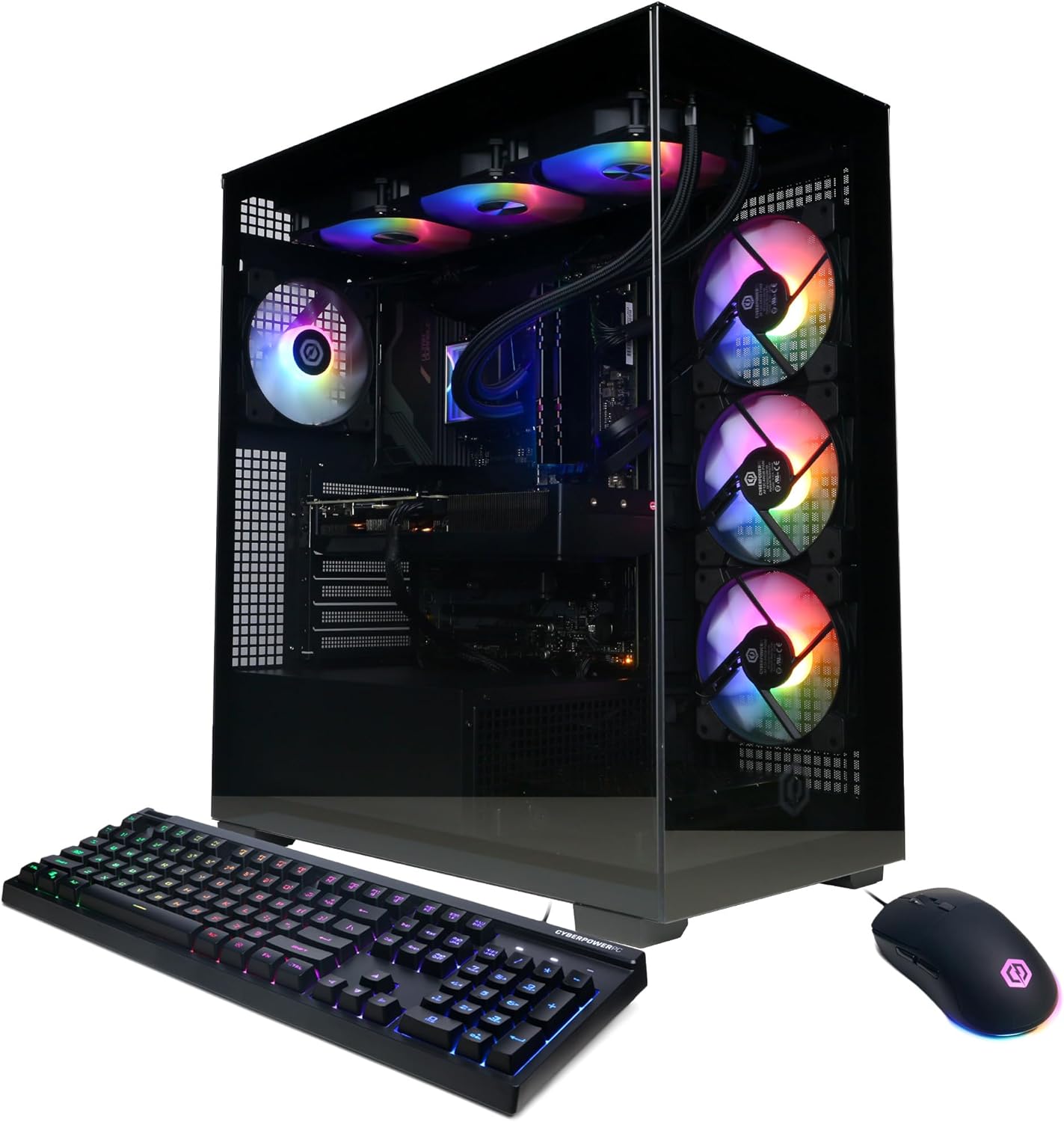
The CyberPowerPC Ryzen 7 8700F is the Best value pick because it pairs an eight-core processor with the RTX 5060 Ti 8GB, 16GB of DDR5 memory, and a 1TB NVMe SSD at a lower price. It is a modern platform with current connectivity.
The Ryzen 7 8700F provides enough processing power for gaming and light multitasking, and the RTX 5060 Ti handles 1080p at high frame rates. The 16GB of memory is the main limitation for heavy multitasking, and the 8GB of video memory is modest for high settings.
Connectivity is a strong point, with WiFi 6, Bluetooth 5.3, and two USB-C 3.2 ports. The case has a tempered-glass side panel, but the listing does not explicitly confirm tool-free access.
This desktop makes sense for a new gamer who wants a modern platform at a lower price. If confirmed tool-free access is a firm requirement, verify the case details before buying.
Many modern accessories use USB-C. Having native USB-C ports on the desktop avoids adapters and simplifies a setup.
Buyers who need confirmed tool-free access should verify the case design. Anyone who runs many applications at once should prioritize 32GB of memory.
As an Amazon Associate we earn from qualifying purchases, at no additional cost to you.
The KOTIN RTX 5070 Prebuilt is the Best overall pick because it pairs the Ryzen 7 9700X with the RTX 5070 12GB, 32GB of DDR5 memory, and a 1TB NVMe SSD, and it includes an 850W 80+ Gold power supply and WiFi 7. The higher-wattage power supply provides headroom for future upgrades.
The RTX 5070 12GB handles high-resolution gaming, and the Ryzen 7 9700X provides strong processing power. The 32GB of memory supports multitasking, and the 850W power supply is a key advantage for upgrade planning.
WiFi 7 is the newest wireless standard in this comparison, and the built-in smart display shows temperatures and usage. The case has an ARGB mid-tower design, but the listing does not explicitly confirm tool-free access.
This desktop makes sense for a buyer who wants a well-rounded system with power supply headroom and current connectivity. If confirmed tool-free access is a firm requirement, verify the case details before buying.
A higher-wattage power supply provides headroom for a future graphics card or additional storage. The 850W 80+ Gold unit is a meaningful advantage for long-term upgrade planning.
Buyers who need confirmed tool-free access should verify the case design. Anyone with a large game library should prioritize a 2TB SSD.
As an Amazon Associate we earn from qualifying purchases, at no additional cost to you.
The Thermaltake Reactor 9880S pairs the Ryzen 7 9800X3D with the RTX 5080 16GB, 32GB of DDR5 6400 memory, and a 2TB NVMe SSD. It is the Premium pick because it combines flagship graphics with a high-speed memory kit and a 360mm liquid cooler.
The RTX 5080 provides strong 4K gaming performance, and the Ryzen 7 9800X3D's large cache helps frame pacing. The 32GB of DDR5 6400 memory is the fastest listed in this comparison, and the 2TB SSD provides generous storage.
The case features 3mm tempered-glass front panels and perforated side panels for airflow. The listing does not explicitly confirm tool-free access, so buyers should check the case design before assuming toolless upgrades. The 360mm liquid cooler supports sustained performance.
This desktop makes sense for a buyer who wants flagship graphics and fast memory. If confirmed tool-free access is a firm requirement, verify the case details before buying.
DDR5 6400 memory is faster than the 6000 kits in most other builds here. That can help in CPU-limited scenarios and heavy multitasking, though the difference is usually smaller than a GPU upgrade.
Buyers who need confirmed tool-free access should verify the case design. Anyone who wants a lower price should compare the KOTIN and CyberPowerPC models.
As an Amazon Associate we earn from qualifying purchases, at no additional cost to you.
This budget tower pairs an Intel Core i7 processor with the GTX 1660 Super 6GB, 16GB of RAM, and a 512GB SSD. It is aimed at gamers who want a low-cost desktop for 1080p gaming and everyday tasks.
The Core i7 processor provides adequate performance, and the GTX 1660 Super handles 1080p gaming at moderate settings. The 16GB of RAM and 512GB SSD are modest for a large game library.
The case includes ARGB fans and a temperature display. The listing notes that the graphics card may be packed separately for shipping protection and requires installation before first use, which is a practical detail for buyers.
This desktop makes sense for a budget buyer who wants a tower for 1080p gaming. If you want high-end performance or confirmed tool-free access, the higher-end models are a better fit.
The listing notes that the graphics card may be packed separately and requires installation. That is a practical detail to plan for before first use, and it also gives you a look at the PCIe slot and case interior.
Gamers who want high-end performance should choose the RTX 5070 and RTX 5080 models. Anyone who prioritizes a higher customer rating should compare the other options.
As an Amazon Associate we earn from qualifying purchases, at no additional cost to you.
Tool-free upgrades are a convenience, not a single specification. The right machine depends on the case design, component accessibility, and power supply headroom. These factors explain what to prioritize.
Tool-free access usually starts with a removable side panel. Some cases use thumbscrews, others use a latch or a quick-release mechanism. A tempered-glass panel often provides a clear view of the interior and may be easier to remove, but the specific mechanism matters. The listings here describe tempered-glass panels and showcase cases, but they do not always confirm tool-free access, so buyers should check the case details before assuming toolless upgrades.
Look for a case with a side panel that can be removed without tools, toolless drive trays, and accessible memory slots. If the listing does not confirm these features, check the manufacturer's specifications or owner reviews.
If tool-free access is a firm requirement, prioritize a case with a documented toolless design.
The motherboard determines how easy it is to add memory, storage, or a graphics card. A board with accessible M.2 slots, clear memory slots, and a standard PCIe layout is easier to upgrade. The desktops here use various chipsets and form factors, so the layout varies.
Check the number of M.2 slots and memory slots before buying. If you plan to add storage, an extra M.2 slot makes the upgrade straightforward.
Match the motherboard layout to your upgrade plans.
A higher-wattage power supply provides headroom for a future graphics card or additional storage. The KOTIN model lists an 850W 80+ Gold unit, which is a meaningful advantage for upgrade planning. The Thermaltake Reactor also uses a high-end power supply.
Check the power supply wattage and certification before planning upgrades. A modular power supply makes cable management easier.
If you plan to upgrade the GPU, prioritize a power supply with enough wattage and an 80+ Gold rating.
The processor affects how long the platform stays capable. The Ryzen 7 9850X3D and 9800X3D are gaming-focused chips with large caches, while the Core i9-14900KF and Ryzen 9 7900X offer more cores for multitasking. A newer platform may support future upgrades better than an older one.
If you plan to keep the PC for years, choose a current platform with strong performance and accessible upgrade paths.
Balance the processor with the GPU and memory so the system does not bottleneck.
Storage and memory are the easiest upgrades. The desktops here offer 512GB, 1TB, or 2TB SSDs and 16GB or 32GB of memory. A case with accessible drive bays and memory slots makes these upgrades simpler.
If you plan to add storage, check the M.2 slots and any 2.5-inch bays. If you plan to add memory, check the number of slots and the maximum supported capacity.
Choose a desktop with the expansion options you need, even if you do not upgrade immediately.
A case with good airflow can support higher-power components if you upgrade later. The Thermaltake Reactor uses perforated side panels and a 360mm radiator, and the Skytech models use 360mm AIOs in showcase cases.
Check the fan mounts and radiator clearance before planning upgrades. A case with limited airflow may not support a more powerful GPU.
If you plan to upgrade the GPU, prioritize a case with good airflow and radiator clearance.
Set up your desktop with adequate airflow, keeping clearance around the case vents. Before opening the case for an upgrade, power off the system, unplug it, and ground yourself to avoid static damage. Remove the side panel according to the case design, and keep screws or fasteners in a safe place.
When adding memory or storage, consult the motherboard manual for slot locations and supported specifications. After an upgrade, check that the system recognizes the new components in the BIOS or operating system before closing the case.
Keep the cooling system clean by checking the fans and radiator for dust every few months. Dust reduces airflow and can cause higher temperatures and louder fan noise. Use compressed air to clean the fans and vents while the system is off.
Tool-free upgrade usually means a case with a removable side panel, toolless drive trays, or quick-release mechanisms that let you access components without a screwdriver. The specific features vary by case, so check the design before buying.
Some cases have toolless drive trays and accessible memory slots, but memory modules may still require a small screw or latch. Check the case and motherboard design for the specific upgrade.
No. Some prebuilt cases use proprietary parts or panels secured by hidden screws. Check the case design and owner feedback before assuming tool-free access.
Storage and memory are usually the easiest upgrades, followed by a graphics card. Check the available slots, power supply headroom, and case clearance before buying upgrades.
A higher-wattage power supply provides more headroom for a future graphics card. An 850W 80+ Gold unit is a strong choice for high-end upgrades, while a 650W unit may limit future options.
It depends on the case size, power supply, and motherboard. Check the available PCIe slot, clearance, and power connectors before buying a new card.
Check the case panel mechanism, drive trays, memory slots, M.2 slots, power supply wattage, and GPU clearance. Also confirm the motherboard supports the components you plan to add.
A tempered-glass side panel often provides a clear view and easy access, but the specific removal mechanism matters. Check whether it uses thumbscrews, a latch, or another design.
Check the fans and vents every few months, and clean more often in dusty environments. Dust reduces airflow and can cause higher temperatures and louder fan noise.
The KOTIN RTX 5070 Prebuilt is the strongest overall choice in this comparison for a gaming PC with upgrade potential. Its 850W 80+ Gold power supply, RTX 5070 12GB, Ryzen 7 9700X, 32GB of memory, WiFi 7, and smart display make it a well-rounded system with headroom for future additions.
For buyers who want flagship graphics, the Skytech Ryzen 7 9850X3D and Thermaltake Reactor 9880S offer the RTX 5080, while the CyberPowerPC Ryzen 7 8700F is the value pick with a modern platform and USB-C. Budget buyers should consider the Volt X3 and i7 GTX 1660 Super tower, keeping their performance limits in mind.
Your final decision should start with your upgrade plans. If you want to add memory or storage, check the case and motherboard accessibility. If you plan a GPU upgrade, prioritize power supply headroom and case clearance. The right desktop is the one that matches your plans and budget without paying for capability you will not use.