

Dell Tower Ultra 7 265F
4.8/ 5
Core Ultra 7 265F CPU
RTX 5060 graphics
32GB DDR5 memory
2TB SSD storage
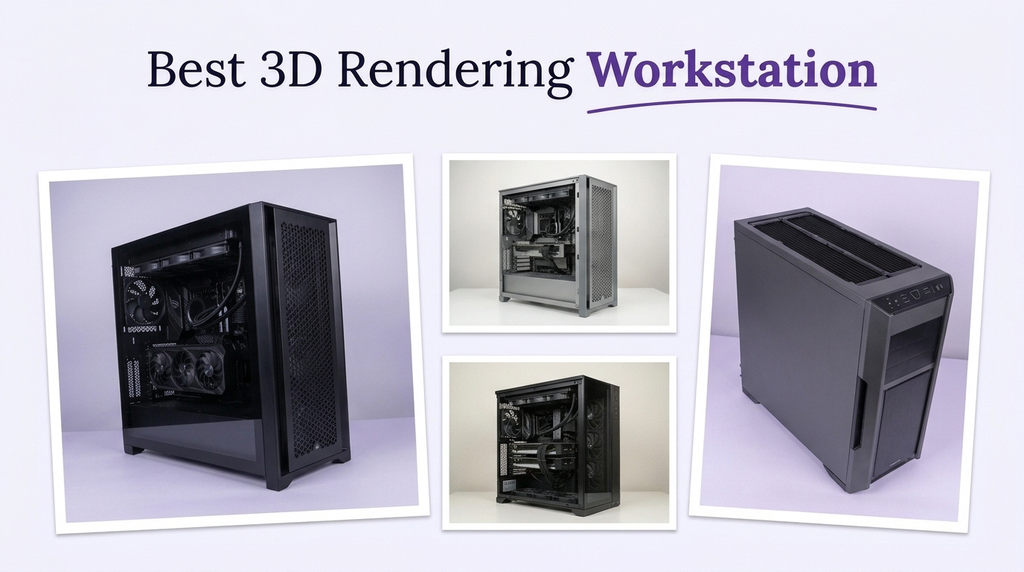
A 3D rendering workstation lives or dies by its processor, graphics card, and memory. Rendering engines such as Blender Cycles, V-Ray, and Arnold can lean heavily on CPU cores or GPU memory depending on the engine and scene, while modeling and viewport work depend on single-thread speed and a capable GPU. Buyers should match the workstation to the renderer and software they actually use rather than assuming the most expensive machine is automatically the right fit.
The options here range from gaming-derived towers with RTX 5070 Ti and RTX 5080 graphics to ISV-certified Lenovo ThinkStation workstations, high-core dual-Xeon renewed systems, and compact mini PCs. Each has different strengths: some favor GPU rendering, others favor CPU rendering or professional software certification, and a few prioritize memory and storage capacity. Understanding those trade-offs is the core of choosing well.
To build this guide, we compared the listed specifications and customer ratings across all ten workstations. We weighed processor core counts, GPU memory and class, memory capacity and type, storage size, cooling design, ISV certification, connectivity, and operating system. We also considered how each machine fits different 3D workflows rather than ranking by price alone. The recommendations reflect specification-based reasoning, not measured test results.
4.8/ 5
5.0/ 5

As an Amazon Associate we earn from qualifying purchases, at no additional cost to you.
Swipe across to compare all columns
| Product | Key highlights | Rating | Explore |
|---|---|---|---|

Best for GPU rendering
Skytech Ryzen 7 9800X3D
|
Ryzen 7 9800X3D CPU
RTX 5070 Ti 16GB
32GB DDR5 6000
2TB NVMe SSD
|
4.2/ 5 | Check Price |
|
Best value
Dell Tower Ultra 7 265F
|
Ultra 7 265F CPU
RTX 5060 8GB
32GB DDR5 memory
2TB SSD
|
4.8/ 5 | Check Price |
|
Best flagship GPU
Skytech Ryzen 7 9850X3D
|
Ryzen 7 9850X3D CPU
RTX 5080 16GB
32GB DDR5 6000
2TB NVMe SSD
|
4.7/ 5 | Check Price |

Best mid-range rendering
KOTIN Ryzen 7 9800X3D
|
Ryzen 7 9800X3D CPU
RTX 5070 12GB
32GB DDR5 memory
1TB NVMe SSD
|
3.9/ 5 | Check Price |
|
Best overall
Lenovo ThinkStation P3 Tower
|
Ultra 9 285 CPU
RTX 2026 GPU
64GB DDR5 memory
1TB SSD
|
5.0/ 5 | Check Price |
Best mobile workstation
MSI Raider 16 Max HX
|
Ultra 9 290HX Plus
RTX 5090 24GB
64GB DDR5 memory
4TB PCIe SSD
|
4.8/ 5 | Check Price |
|
Premium pick
Lenovo ThinkStation P2 Gen 2
|
Ultra 7 265K CPU
128GB DDR5 memory
8TB SSD + 12TB HDD
ISV certified
|
Not supplied | Check Price |

Best compact 3D option
GEEKOM A9 Max
|
Ryzen AI 9 HX470
Radeon 890M iGPU
32GB DDR5 memory
2TB NVMe SSD
|
4.3/ 5 | Check Price |

Best high-core renewed option
Dell Precision T7820
|
Dual Xeon Gold 6140
Quadro M2000 4GB
128GB DDR4 memory
2TB SSD
|
Not supplied | Check Price |
Best value
Thermaltake LCGS View
|
Ryzen 7 9800X3D CPU
RTX 5070 Ti 16GB
32GB DDR5 6400
2TB NVMe SSD
|
3.6/ 5 | Check Price |
As an Amazon Associate we earn from qualifying purchases, at no additional cost to you.
The Skytech Ryzen 7 9800X3D is aimed at 3D artists who rely on GPU rendering engines such as Blender Cycles, Octane, or Redshift. The RTX 5070 Ti 16GB provides enough video memory for many scenes, and the Ryzen 7 9800X3D's large cache helps with viewport and simulation performance.
For GPU rendering, video memory determines the scene complexity the card can hold. 16GB is a strong baseline for many projects, though very large scenes may exceed it. The 32GB of DDR5 6000 memory supports modeling and multitasking, and the 2TB NVMe SSD provides fast asset loading.
The 360mm AIO liquid cooler supports sustained rendering sessions, and the case is a showcase design. The main limitations are the older WiFi 5 standard and the lack of ISV certification, which matters for some CAD and professional applications.
This workstation makes sense for a 3D artist who prioritizes GPU rendering and wants a balanced machine. If you need ISV certification or more memory, the Lenovo ThinkStation models are a better fit.
GPU rendering engines load scene geometry and textures into video memory. A 16GB card can handle larger scenes than an 8GB card, reducing the need to simplify geometry or reduce texture resolution.
Artists who need ISV certification should choose a Lenovo ThinkStation. Anyone who needs more memory for complex scenes should consider a workstation with 64GB or more.
As an Amazon Associate we earn from qualifying purchases, at no additional cost to you.
The Dell Tower Ultra 7 265F is the Best value pick because it pairs a 20-core Intel processor with the RTX 5060, 32GB of DDR5 memory, and a 2TB SSD at a lower price than the high-end workstations. It is aimed at 3D artists who want a capable tower for modeling, rendering, and creative work.
The Ultra 7 265F has 20 cores for CPU rendering and multitasking, and the RTX 5060 provides GPU acceleration for supported renderers. The 32GB of DDR5 memory supports most scenes, and the 2TB SSD provides ample storage. The RTX 5060's 8GB of video memory is the main limitation for large GPU-rendered scenes.
The system includes Windows 11 Pro, Wi-Fi, Bluetooth, HDMI 2.1, USB 3.0, and USB 2.0 ports. A Dell Pro keyboard and mouse are included. The main limitations are the 8GB of video memory and the lack of ISV certification.
This workstation makes sense for a 3D artist who wants a balanced machine at a value price. If you need more GPU memory or ISV certification, the higher-end models are a better fit.
CPU rendering scales with core count, and the 20-core Ultra 7 265F is well suited to CPU-based renderers. GPU rendering depends more on video memory and compute, where the RTX 5060 is more modest.
Artists who need more GPU memory should choose the RTX 5070 Ti or RTX 5080 models. Anyone who needs ISV certification should consider a Lenovo ThinkStation.
As an Amazon Associate we earn from qualifying purchases, at no additional cost to you.
The Skytech Ryzen 7 9850X3D pairs the RTX 5080 16GB with the Ryzen 7 9850X3D, 32GB of DDR5 6000 memory, and a 2TB NVMe SSD. It is aimed at 3D artists who want the strongest GPU rendering performance in this comparison.
The RTX 5080 provides more rendering headroom than the RTX 5070 Ti, which can reduce render times in GPU-based engines. The 16GB of video memory supports large scenes, and the Ryzen 7 9850X3D's large cache helps with viewport and simulation work. The 32GB of memory and 2TB SSD support asset-heavy projects.
The 360mm AIO liquid cooler supports long rendering sessions. The main limitations are the older WiFi 5 standard and the lack of ISV certification for CAD applications.
This workstation makes sense for a 3D artist who prioritizes GPU rendering speed and wants a showcase build. If you need ISV certification or more memory, the Lenovo ThinkStation models are a better fit.
The RTX 5080 has more rendering cores and 16GB of GDDR7 memory, which can shorten GPU render times and handle larger scenes than the RTX 5070 Ti.
Artists who need ISV certification should choose a Lenovo ThinkStation. Anyone who needs more memory for complex scenes should consider a workstation with 64GB or more.
As an Amazon Associate we earn from qualifying purchases, at no additional cost to you.
The KOTIN Ryzen 7 9800X3D pairs the Ryzen 7 9800X3D with the RTX 5070 12GB, 32GB of DDR5 memory, and a 1TB NVMe SSD. It is aimed at 3D artists who want a capable mid-range workstation with WiFi 7 and a built-in smart display.
The RTX 5070 12GB handles GPU rendering for many scenes, though it has less video memory than the 16GB cards. The Ryzen 7 9800X3D provides strong viewport and CPU rendering performance. The 32GB of memory supports modeling and multitasking.
The 1TB SSD is the main storage limitation for large asset libraries. WiFi 7 is the newest wireless standard in this comparison, and the smart display shows temperatures and usage. The customer rating of 3.9 is lower than most alternatives.
This workstation makes sense for an artist who wants a mid-range rendering machine with current connectivity. If you need more storage or a higher customer rating, other models are a better fit.
The built-in display shows system information, and WiFi 7 provides current wireless connectivity. These features are useful for a desk setup but do not change rendering performance.
Artists with large asset libraries should prioritize a 2TB SSD. Anyone who wants a higher-rated configuration should compare the Skytech models.
As an Amazon Associate we earn from qualifying purchases, at no additional cost to you.
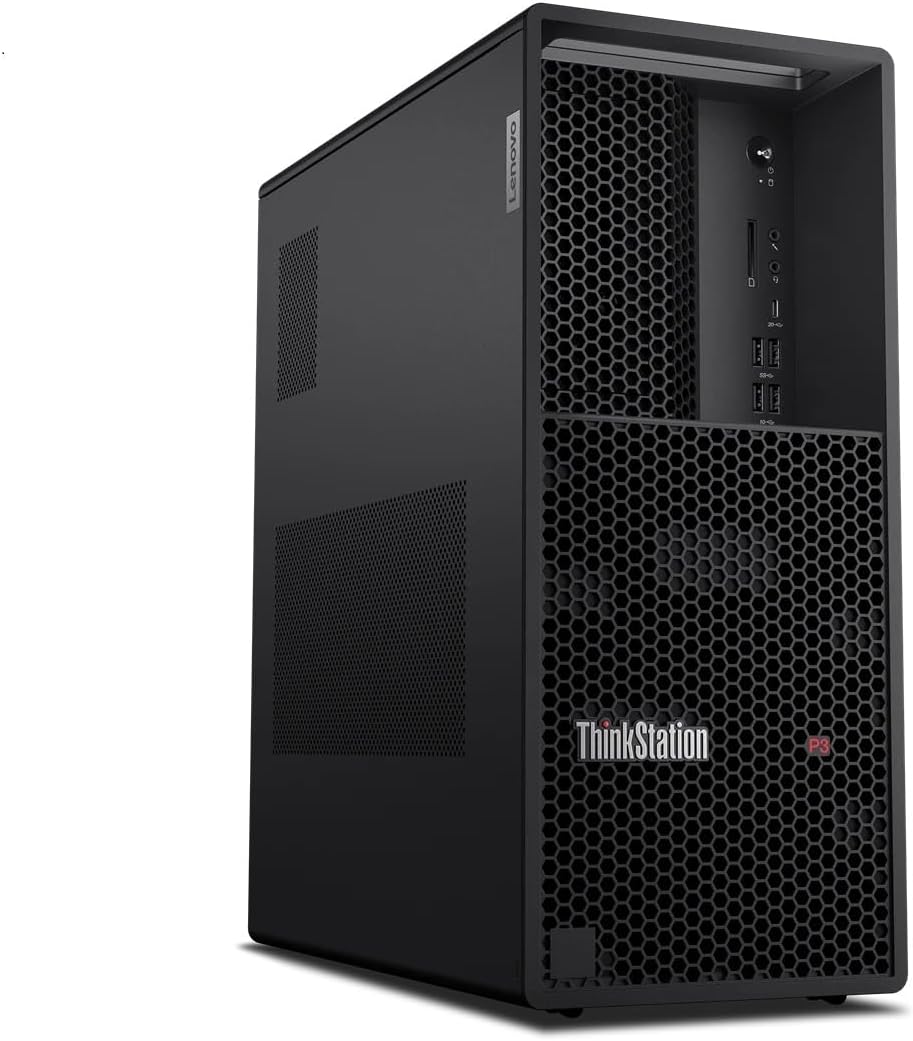
The Lenovo ThinkStation P3 Tower is the Best overall pick because it combines the Intel Core Ultra 9 285 vPro processor with the NVIDIA RTX 2026 professional graphics card and 64GB of DDR5 memory. It is a certified workstation designed for heavy workflows, with Lenovo's onsite warranty and ThinkShield security.
The Core Ultra 9 285 includes an integrated NPU for AI-assisted workflows, and the RTX 2026 is a professional GPU aimed at stability and certification rather than raw gaming performance. The 64GB of DDR5 memory supports large scenes and simulations, and the 1TB SSD provides fast storage.
Connectivity includes USB-C 20Gbps, USB-A 5Gbps and 10Gbps, HDMI 2.1, dual DisplayPort 1.4, Ethernet, and audio. Intel vPro provides remote management and security, and the discrete TPM helps protect data.
The main limitations are the RTX 2026, which is less powerful than the RTX 5070 Ti for raw rendering, and the 1TB SSD. This workstation makes sense for professionals who value certification, security, and stability over maximum raw performance.
Professional GPUs such as the RTX 2026 are tested and certified for professional applications, which can reduce compatibility issues. They may be less powerful than consumer cards for raw rendering, but they prioritize stability.
Artists who want maximum GPU rendering speed should choose the RTX 5080 model. Anyone who needs more storage should consider a larger SSD configuration.
As an Amazon Associate we earn from qualifying purchases, at no additional cost to you.
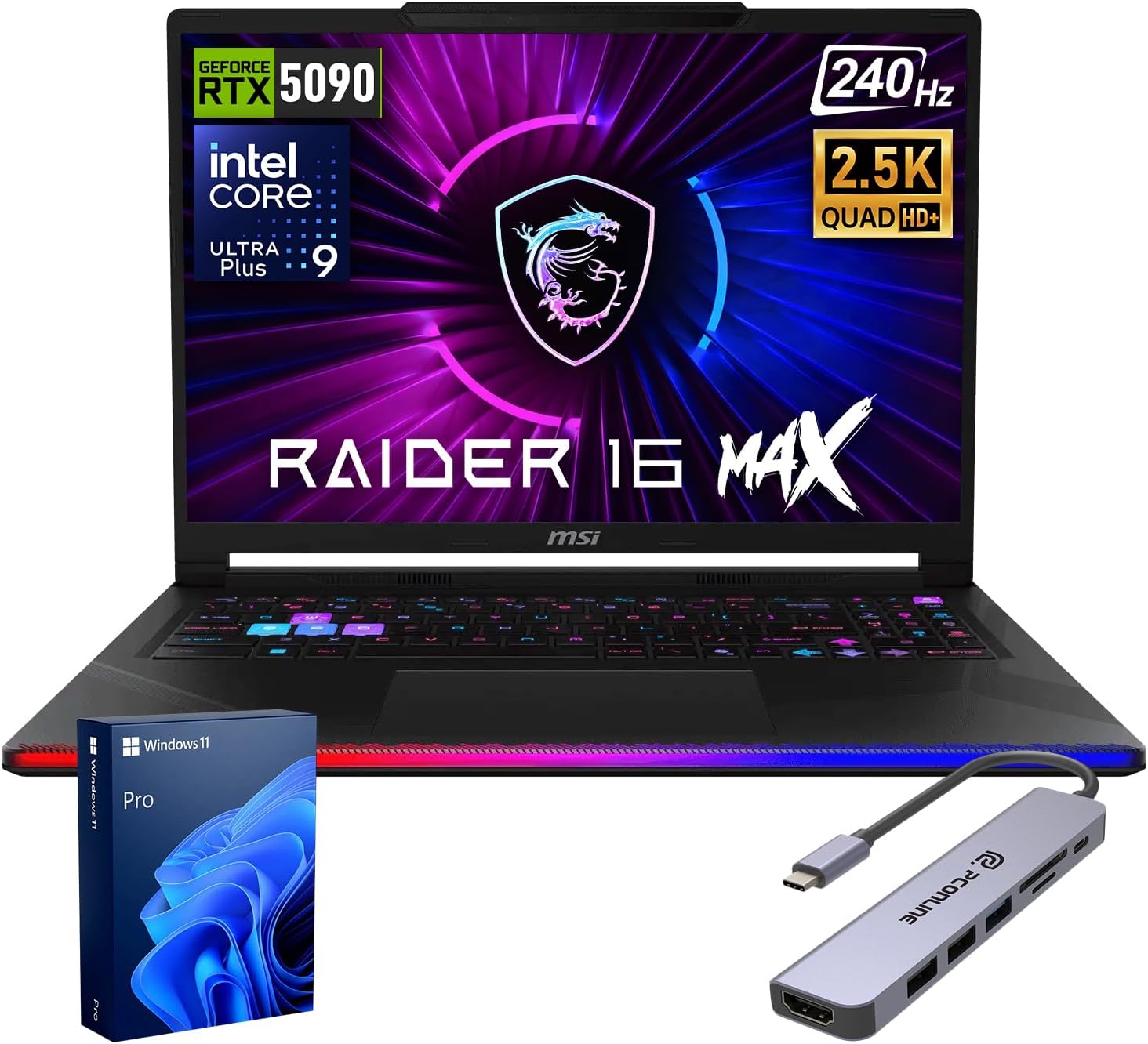
The MSI Raider 16 Max HX is a mobile workstation laptop with the Intel Core Ultra 9 290HX Plus, the RTX 5090 laptop GPU with 24GB of GDDR7 memory, 64GB of DDR5 RAM, and a 4TB PCIe Gen4 SSD. It is aimed at 3D artists who need to render and model on the go.
The RTX 5090 laptop GPU provides 24GB of video memory, which is more than the desktop RTX 5070 Ti and RTX 5080 models here. That makes it a strong option for GPU rendering of large scenes, though laptop GPUs typically have lower sustained performance than desktop cards. The 24-core processor and 64GB of memory support heavy multitasking.
The 16-inch QHD+ OLED display with 100% DCI-P3 coverage is well suited to content creation. The Cooler Boost Titan cooling system and 91.8Whr battery support mobile work, and connectivity includes Thunderbolt 4, HDMI 2.1, USB 3.2 Gen 2, and an SD card reader.
This laptop makes sense for a 3D artist who needs portability and large GPU memory. If you want maximum sustained performance and upgrade room, a desktop workstation is a better fit.
Laptop GPUs are designed for lower power draw, so they may not sustain the same performance as desktop cards over long renders. The RTX 5090 laptop GPU's 24GB of memory is a key advantage for large scenes.
Artists who want maximum sustained rendering performance should choose a desktop workstation. Anyone who needs upgrade room should prefer a tower.
As an Amazon Associate we earn from qualifying purchases, at no additional cost to you.
The Lenovo ThinkStation P2 Gen 2 is the Premium pick because it pairs the 20-core Intel Core Ultra 7 265K with 128GB of DDR5 memory and a massive 20TB of storage (8TB SSD plus 12TB HDD). It is aimed at 3D professionals who need large memory capacity and storage for complex scenes and asset libraries.
The 128GB of DDR5 memory supports large datasets and many applications at once, and the 20TB of storage provides room for extensive asset libraries and render outputs. The system is ISV certified for professional applications such as AutoCAD, Revit, SOLIDWORKS, and Adobe.
The workstation includes Windows 11 Pro, Ethernet, WiFi 7, and Bluetooth 5. A tool-less design simplifies maintenance and future expansion. The main limitation is that no dedicated GPU is listed, so buyers should confirm the graphics configuration before relying on GPU rendering.
This workstation makes sense for a professional who needs large memory and storage capacity for CPU-heavy 3D workflows. If you need dedicated GPU rendering, the Skytech RTX 5080 model is a better fit.
Large 3D scenes, simulations, and multitasking can consume significant memory. 128GB provides headroom for complex projects and many open applications.
Artists who need GPU rendering should choose a model with a dedicated graphics card. Anyone who wants a listed customer rating should compare the other workstations.
As an Amazon Associate we earn from qualifying purchases, at no additional cost to you.
The GEEKOM A9 Max is a compact mini PC with the Ryzen AI 9 HX470, 32GB of DDR5 memory, and a 2TB NVMe SSD. It is aimed at professionals who need a small workstation for light 3D modeling, rendering, and creative work.
The Ryzen AI 9 HX470 provides 12 cores and 24 threads with Radeon 890M integrated graphics. The 32GB of memory and 2TB SSD support moderate projects. Integrated graphics are the main limitation for heavy GPU rendering, so this machine is best suited to lighter scenes or CPU-based work.
The system supports four displays with 8K output, dual 2.5GbE LAN, WiFi 7, and USB4. The all-metal chassis and IceBlast 3.0 cooling system support sustained work, and GEEKOM backs the A9 Max with a 3-year limited warranty.
This workstation makes sense for a professional who wants a compact machine for light 3D work. If you need heavy GPU rendering, a desktop with a dedicated graphics card is a better fit.
Integrated graphics can handle modeling, viewport work, and light rendering, but they are not a match for a dedicated GPU in heavy rendering. Buyers should set expectations accordingly.
Artists who need heavy GPU rendering should choose a desktop with a dedicated graphics card. Anyone who needs more memory should consider a 64GB or 128GB workstation.
As an Amazon Associate we earn from qualifying purchases, at no additional cost to you.
The Dell Precision T7820 is a renewed workstation with dual Xeon Gold 6140 processors, 128GB of DDR4 memory, a 2TB SSD, and Quadro M2000 4GB graphics. It is aimed at 3D artists who prioritize CPU rendering and large memory capacity.
The dual Xeon processors provide 36 total cores, which can be advantageous for CPU-based renderers that scale with core count. The 128GB of memory supports large scenes, and the 2TB SSD provides ample storage. The Quadro M2000 is dated for GPU rendering, so buyers should not expect strong GPU performance.
The system includes a 950W power supply and Windows 11 Pro. The main limitations are the renewed condition and the older graphics card.
This workstation makes sense for a budget buyer who needs high core counts for CPU rendering and large memory. If you need modern GPU rendering, the RTX 5070 Ti and RTX 5080 models are a better fit.
CPU renderers such as Arnold and V-Ray can scale with core count. The dual Xeon configuration provides 36 cores, which can shorten CPU render times for large scenes.
Artists who need modern GPU rendering should choose an RTX model. Anyone who prefers a new workstation should consider the Lenovo ThinkStation models.
As an Amazon Associate we earn from qualifying purchases, at no additional cost to you.
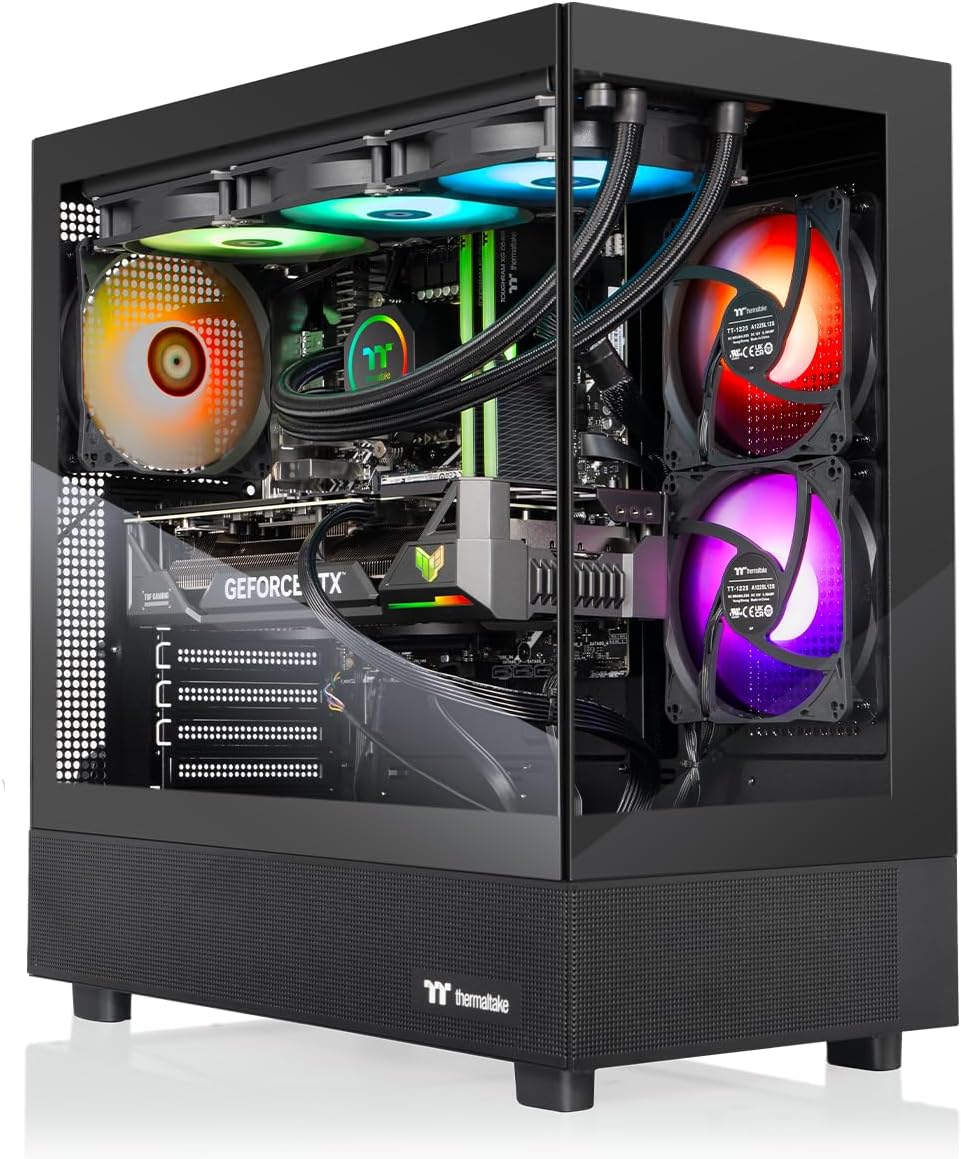
The Thermaltake LCGS View pairs the Ryzen 7 9800X3D with the RTX 5070 Ti 16GB, 32GB of DDR5 6400 memory, and a 2TB NVMe SSD. It is aimed at 3D artists who want 16GB of video memory and fast memory in a liquid-cooled tower.
The RTX 5070 Ti 16GB handles GPU rendering for many scenes, and the Ryzen 7 9800X3D provides strong viewport and CPU rendering performance. The 32GB of DDR5 6400 memory is the fastest listed in this comparison, and the 2TB SSD provides ample storage.
The 360mm liquid cooler supports sustained rendering sessions. The main limitations are the lower customer rating and the lack of ISV certification.
This workstation makes sense for an artist who wants 16GB of video memory and fast memory in a liquid-cooled tower. If you need ISV certification or a higher-rated configuration, the Lenovo ThinkStation and Skytech models are a better fit.
DDR5 6400 memory is faster than the 6000 kits in most other builds here. That can help in CPU-limited workflows and heavy multitasking, though the difference is usually smaller than a GPU upgrade.
Artists who need ISV certification should choose a Lenovo ThinkStation. Anyone who prefers a higher-rated configuration should compare the Skytech models.
As an Amazon Associate we earn from qualifying purchases, at no additional cost to you.
A 3D rendering workstation should match your renderer, software, and scene complexity. These factors explain what to prioritize.
Rendering engines differ in how they use hardware. CPU renderers such as Arnold and V-Ray can scale with core count, while GPU renderers such as Blender Cycles, Octane, and Redshift depend on graphics card memory and compute. Some engines support both.
The workstations here range from 12-core to 36-core configurations and from 4GB to 24GB of video memory. Buyers should identify which renderer they use most and prioritize the matching hardware.
If you use a CPU renderer, prioritize core count and memory. If you use a GPU renderer, prioritize video memory and GPU class.
For GPU rendering, video memory determines the scene complexity the card can hold. The RTX 5080 and RTX 5070 Ti offer 16GB, the RTX 5070 offers 12GB, the RTX 5060 offers 8GB, and the RTX 5090 laptop GPU offers 24GB.
Professional GPUs such as the RTX 2026 and Quadro M2000 prioritize certification and stability over raw rendering speed. They are suitable for certified workflows but may be slower than consumer cards for raw rendering.
Choose a card with enough video memory for your largest scenes, and consider professional certification if your software requires it.
System memory matters for large scenes, simulations, and multitasking. The workstations here offer 32GB, 64GB, or 128GB of DDR5 or DDR4 memory.
If you work with complex scenes or run many applications at once, prioritize 64GB or 128GB. For smaller projects, 32GB may be sufficient.
Choose memory based on your scene complexity and multitasking needs.
3D projects, textures, and render outputs consume significant storage. The workstations here offer 1TB to 20TB of combined storage.
If you work with large asset libraries or render sequences, prioritize more storage. SSDs provide faster loading than hard drives.
Choose storage based on your project size and asset library.
ISV certification indicates that a workstation has been tested with professional applications such as AutoCAD, Revit, SOLIDWORKS, and Adobe. The Lenovo ThinkStation models are ISV certified, which can reduce compatibility risk.
If you rely on certified software for critical work, prioritize an ISV-certified workstation with professional support.
Choose certification if your workflow depends on specific professional applications.
Rendering can run the CPU and GPU at high load for extended periods. The 360mm AIO coolers on the Skytech and Thermaltake models provide thermal headroom, while the Lenovo ThinkStation models use workstation cooling designs.
Good cooling helps maintain performance during long renders and reduces the risk of throttling.
If you render frequently, prioritize strong cooling.
Set up your workstation with adequate airflow, keeping clearance around the case vents. Install the latest GPU drivers and renderer updates, and configure your render engine to use the available CPU or GPU resources.
Keep the cooling system clean by checking the fans and radiator for dust every few months. Dust reduces airflow and can cause higher temperatures and longer render times.
Back up project files and render outputs regularly. Monitor temperatures during long renders, and adjust fan curves or performance modes to balance noise and cooling.
It depends on the renderer. CPU renderers benefit from high core counts and memory, while GPU renderers depend on video memory and GPU class. Match the hardware to the engine you use most.
8GB is enough for smaller scenes, 12GB handles many mid-size scenes, and 16GB or more supports larger scenes with high-resolution textures. The right amount depends on your scene complexity.
32GB is enough for many projects, but complex scenes and heavy multitasking may benefit from 64GB or 128GB. Consider your scene size and the number of applications you keep open.
ISV certification indicates that a workstation has been tested with professional applications. If you rely on certified software such as AutoCAD or SOLIDWORKS, it can reduce compatibility risk.
A gaming PC with a strong GPU and enough memory can be good for GPU rendering. However, it may lack ISV certification and professional support, which matter for some workflows.
3D projects, textures, and render outputs can consume significant storage. A 1TB SSD is a starting point, and 2TB or more gives more room for large asset libraries.
Upgrade options depend on the model. Towers generally offer more room for memory, storage, and GPU upgrades than mini PCs or laptops. Check the specifications before buying.
A laptop with a strong GPU and enough memory can handle 3D rendering, but sustained performance may be lower than a desktop. Laptops are best for portability.
Professional GPUs prioritize certification, stability, and professional software support, while consumer GPUs prioritize raw performance and gaming features. The right choice depends on your software requirements.
The Lenovo ThinkStation P3 Tower is the strongest overall choice in this comparison for a 3D rendering workstation. Its Core Ultra 9 285 vPro processor, NVIDIA RTX 2026 professional GPU, 64GB of DDR5 memory, ThinkShield security, and Lenovo onsite warranty make it well suited to certified professional workflows.
For GPU rendering speed, the Skytech RTX 5080 and RTX 5070 Ti models offer strong graphics performance, while the MSI Raider 16 Max HX provides 24GB of laptop GPU memory for portable work. The Lenovo ThinkStation P2 Gen 2 offers 128GB of memory and 20TB of storage for large projects, and the Dell Precision T7820 provides 36 cores for CPU rendering.
Your final decision should start with your renderer and software. Prioritize video memory for GPU rendering, core count for CPU rendering, and memory capacity for large scenes. The right workstation is the one that matches your workflow and budget without paying for capability you will not use.