

MSI Crosshair 18 HX (1TB)
5.0/ 5
RTX 5070 8GB GPU
240Hz QHD+ IPS display
Core Ultra 9 275HX
Thunderbolt 4 port
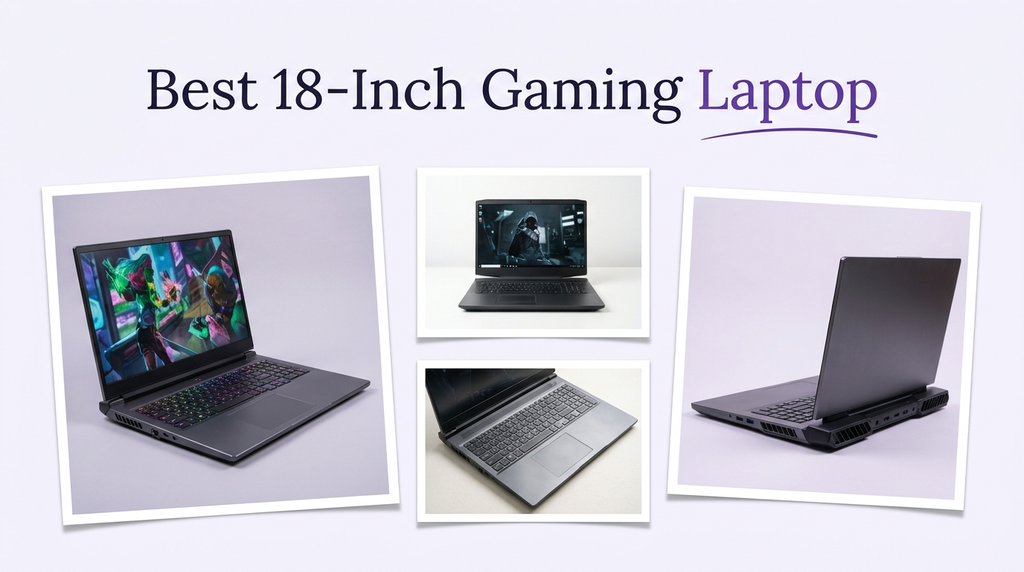
Finding the right 18-inch gaming laptop means balancing a massive high-refresh display with serious GPU power, cooling headroom, and enough memory and storage to keep modern AAA titles running smoothly. We compare 10 standout 18-inch models by GPU tier, display resolution and refresh rate, processor performance, memory capacity, port selection, and the practical trade-offs of living with such a large chassis.
An 18-inch gaming laptop is best thought of as a portable desktop. The extra screen real estate is ideal for immersive single-player games, split-screen productivity, and creative work, but it also means a heavier chassis and a larger power brick. The real differences between models come down to GPU wattage, cooling design, panel quality, and build.
To narrow this list, we compared GPU architecture and total graphics power, CPU core count and boost clocks, display resolution and refresh rate, memory capacity and upgradeability, SSD speed, port selection, wireless standards, and keyboard features. We also weighed how each chassis handles sustained thermal load, since an 18-inch gaming laptop that throttles under pressure will deliver lower real-world frame rates than a smaller machine with better cooling.
5.0/ 5

5.0/ 5

4.4/ 5
As an Amazon Associate we earn from qualifying purchases, at no additional cost to you.
Swipe across to compare all columns
| Product | Key highlights | Rating | Explore |
|---|---|---|---|
|
Best overall
MSI Crosshair 18 HX (2TB)
|
RTX 5070 GPU
240Hz QHD+ IPS
Core Ultra 9
2TB NVMe SSD
|
5.0/ 5 | Check Price |

Best for AMD Ryzen Fans
ASUS TUF A18
|
RTX 5060 GPU
144Hz FHD+ display
AMD Ryzen 7 260
16GB DDR5 RAM
|
5.0/ 5 | Check Price |

Best for Multi-Core Workloads
ASUS ROG Strix G18 Ryzen
|
RTX 5070 GPU
240Hz 2.5K display
AMD Ryzen 9 9955HX
ROG Nebula panel
|
5.0/ 5 | Check Price |

Best for Slim Design
GIGABYTE Gaming A18
|
RTX 5070 GPU
180-degree slim hinge
AMD Ryzen 7 260
GiMATE AI assistant
|
5.0/ 5 | Check Price |

Best for Thunderbolt Users
ASUS ROG Strix G18 G815 (5070)
|
RTX 5070 GPU
240Hz 2.5K IPS
Core Ultra 9 275HX
Thunderbolt 4 port
|
5.0/ 5 | Check Price |

Best for Large Storage
MSI Crosshair 18 HX (2TB Alt)
|
RTX 5070 GPU
240Hz QHD+ IPS
Core Ultra 9 275HX
2TB SSD storage
|
5.0/ 5 | Check Price |
|
Premium pick
MSI Raider 18 HX AI
|
RTX 5080 GPU
240Hz QHD+ IPS
64GB DDR5 RAM
WiFi 7 networking
|
4.4/ 5 | Check Price |

Best for Modern Wireless
ASUS ROG Strix G18 G815 (5060)
|
RTX 5060 GPU
240Hz 2.5K IPS
Core Ultra 9 275HX
Wi-Fi 7 connectivity
|
5.0/ 5 | Check Price |
|
Best value
MSI Crosshair 18 HX (1TB)
|
RTX 5070 GPU
240Hz QHD+ display
Core Ultra 9 275HX
1TB NVMe SSD
|
5.0/ 5 | Check Price |

Best for Heavy Multitasking
MSI Crosshair 18 HX (64GB)
|
RTX 5070 GPU
240Hz QHD+ IPS
64GB DDR5 RAM
SteelSeries RGB keyboard
|
Not supplied | Check Price |
As an Amazon Associate we earn from qualifying purchases, at no additional cost to you.
The MSI Crosshair 18 HX AI is the most well-rounded option in this roundup, pairing a 24-core Intel Core Ultra 9 275HX processor with an RTX 5070 GPU and a generous 2TB NVMe SSD. It targets gamers who want a true desktop-class experience in an 18-inch chassis, with enough storage out of the box to install a substantial library of modern AAA games without immediately shopping for a second drive.
The 18-inch QHD+ display at 2560 by 1600 is the real centerpiece, offering a 240Hz refresh rate and full DCI-P3 color coverage on an IPS panel. That combination makes the laptop equally useful for competitive gaming, creative work like photo editing, and immersive single-player titles where the extra pixels add noticeable depth. The RTX 5070's 8GB of GDDR7 memory supports DLSS 4 Multi Frame Generation and ray tracing, helping maintain high frame rates at this resolution.
On the usability side, the 32GB of DDR5-5600 RAM provides comfortable headroom for streaming, recording, and multitasking during gaming sessions. The Dynaudio speaker system with dedicated woofers delivers richer audio than most laptops in this class, and the 720p webcam with privacy shutter handles video calls securely. WiFi 6E and Bluetooth 5.3 round out the wireless connectivity, though the physical port selection is standard rather than exceptional.
This model makes the most sense for buyers who want a strong all-around 18-inch laptop with generous storage and a top-tier CPU, without stretching the budget to an RTX 5080 flagship. If your primary use is QHD+ gaming with occasional creative work, this configuration hits a practical sweet spot. Buyers who want 4K-ready VRAM for future-proofing should look at the RTX 5080 alternative instead.
The pairing of a 2560 by 1600 panel and an RTX 5070 at this wattage is well matched for current AAA titles. In most modern games, the GPU can push frame rates between 90 and 160 fps at native resolution with high settings, and DLSS 4 Quality mode can push that even higher in supported titles. The 100 percent DCI-P3 coverage also makes this panel suitable for color-sensitive work like photo editing or basic video grading, where sRGB-only panels would feel limiting.
Gamers who want to future-proof for AAA titles that push beyond 8GB of VRAM at QHD+ should consider the MSI Raider 18 HX AI with its RTX 5080 and 16GB of GDDR7. The additional memory headroom will matter more as texture packs and ray-traced effects continue to grow in size over the next several years.
As an Amazon Associate we earn from qualifying purchases, at no additional cost to you.
The ASUS TUF A18 is aimed at gamers who want the durability-focused TUF build quality in an 18-inch form factor, paired with AMD's Ryzen 7 260 processor and the latest RTX 5060 GPU. The Ryzen 7 260 offers eight cores, 16 threads, and a boost up to 5.1 GHz, plus a dedicated AMD XDNA NPU that handles on-device AI workloads like background noise suppression during streams without taxing the main CPU cores.
The 18-inch FHD+ display at 2026 by 1200 runs at 144Hz with G-Sync and MUX switch support, which means the GPU can bypass the integrated graphics for lower latency and higher frame rates in competitive games. The 100 percent sRGB coverage is adequate for everyday gaming and casual content creation, though color-sensitive creative professionals will find the smaller gamut less flexible than the DCI-P3 panels on more expensive models here.
The RTX 5060 at 115W (including Dynamic Boost) supports DLSS 4 with Multi Frame Generation, which can dramatically improve frame rates in supported AAA titles. The 16GB of DDR5 RAM and 1TB NVMe SSD are adequate for current needs, though buyers planning to stream or edit video alongside gaming may want to upgrade the memory later. Wi-Fi 6E ensures low-latency wireless connectivity for online gaming.
The TUF A18 suits gamers who value AMD's recent Ryzen efficiency and the TUF line's reputation for durability, especially if FHD+ resolution is sufficient for their play style. The lower resolution actually helps the RTX 5060 deliver higher frame rates than it would on a QHD+ panel. Buyers who want sharper visuals on an 18-inch screen should consider one of the QHD+ options.
While QHD+ panels look sharper, FHD+ on an 18-inch screen is still visually acceptable at normal viewing distances, and the lower pixel count lets a mid-range GPU like the RTX 5060 deliver much higher frame rates. For competitive gamers who prioritize smooth motion over pixel density, this trade-off often makes practical sense. The 144Hz refresh rate pairs well with the GPU's performance envelope.
If you want QHD+ resolution for creative work or crisper visuals in single-player games, consider one of the 2.5K options with a 240Hz panel. The FHD+ panel here is a practical match for the RTX 5060 but limits the laptop's utility for color-critical workflows.
As an Amazon Associate we earn from qualifying purchases, at no additional cost to you.
The ASUS ROG Strix G18 with the AMD Ryzen 9 9955HX is aimed at power users who want a processor with heavy multi-threaded capability alongside the RTX 5070 GPU. The 16-core, 32-thread Ryzen 9 is well suited to content creation workloads like video editing, 3D rendering, and compiling code, in addition to current AAA gaming. The 5.4 GHz boost clock also keeps single-threaded game performance competitive.
The 18-inch 2560 by 1600 ROG Nebula display runs at 240Hz with a 3ms response time, 100 percent DCI-P3 coverage, G-SYNC support, and Pantone Validation. That combination delivers both the fluid motion gamers want and the color accuracy that creators demand, making this one of the more versatile 18-inch panels available. The RTX 5070 at up to 115W ROG Boost provides smooth gameplay at native QHD+ in most modern titles, with DLSS 4 available for the most demanding ray-traced scenes.
Connectivity includes HDMI 2.1, two USB 3.2 Gen 2 Type-A ports, and a 3.5mm combo audio jack, along with Aura Sync lighting and the signature ROG RGB light bar. The DDR5 memory supports up to 64GB across two SO-DIMM slots, and there are two M.2 slots for storage expansion, giving this model strong long-term upgrade potential. One important note is that the listing discloses the unit has been resealed to upgrade memory and SSD, with a one-year warranty provided by the distributor rather than ASUS directly.
This model suits buyers who want AMD's multi-core strengths alongside a color-accurate 2.5K display, particularly creators who game. The resealed-and-upgraded status is worth considering, since warranty support will come from the distributor rather than the manufacturer. If you prefer standard retail packaging and ASUS warranty coverage, look at the standard-SKU ROG Strix G18 G815 configurations instead.
Pantone Validation means the display meets a professional color accuracy standard, which is uncommon on gaming laptops at this size. This makes the Strix G18 Ryzen a practical choice for creators who want to game on the same machine they use for photo editing, video grading, or design work. The 100 percent DCI-P3 gamut also covers the standard used in digital cinema production.
Buyers who prefer standard retail packaging and the manufacturer's direct warranty should choose one of the non-resealed configurations. The MSI Crosshair 18 HX models offer similar performance with factory-fresh packaging and manufacturer warranty coverage.
As an Amazon Associate we earn from qualifying purchases, at no additional cost to you.
The GIGABYTE Gaming A18 stands out among 18-inch laptops for its slim 20mm chassis, which is unusually thin for a machine with this screen size and GPU tier. It pairs the AMD Ryzen 7 260 processor with the RTX 5070 Laptop GPU, both powered by NVIDIA's Blackwell architecture with Max-Q optimization for efficiency. The result is a desktop-class 18-inch laptop that is genuinely more portable than most competitors.
The 180-degree hinge is a practical feature that lets you lay the screen completely flat, which is useful for presentations, collaborative work, or showing content to someone sitting across from you. GiMATE, GIGABYTE's AI assistant software, aims to provide a more intuitive interface for controlling system features. Its real-world value depends heavily on your workflow, but the dedicated AI hardware in the Ryzen 7 260's NPU gives it the capability to run on-device AI tasks.
The RTX 5070 with DLSS 4 and Multi Frame Generation delivers strong gaming performance, though buyers should keep in mind that a slimmer chassis typically has less thermal headroom than a thicker design. During extended gaming sessions, this can mean more aggressive thermal management to prevent the components from overheating. The Max-Q optimizations help mitigate this by prioritizing power efficiency, but sustained peak performance may lag thicker 18-inch rivals.
The Gaming A18 is the pick for buyers who want an 18-inch screen with a chassis thin enough to still feel portable. The trade-off is the potential for more thermal throttling under long, heavy loads compared to bulkier competitors. If you game in shorter sessions or prioritize carrying the laptop between locations, the slim design is a genuine advantage.
Most 18-inch gaming laptops are 25mm or thicker, which makes them awkward to carry in a backpack and heavy on your shoulders for any distance. The 20mm chassis of the Gaming A18 is closer to a mainstream productivity laptop in thickness, making it easier to transport while still providing the large screen area that 18-inch buyers want. For students or professionals who occasionally move their gaming laptop, this slim profile is genuinely practical.
Gamers who play for extended sessions of three or more hours and demand consistent peak performance should consider a thicker chassis like the MSI Raider 18 HX AI. The slim design here prioritizes portability over thermal headroom, which can affect sustained frame rates during marathon gaming sessions.
As an Amazon Associate we earn from qualifying purchases, at no additional cost to you.
The ASUS ROG Strix G18 G815 with the RTX 5070 targets power users who rely on a rich port selection and the latest wireless standards. It combines the 24-core Intel Core Ultra 9 275HX with the RTX 5070 and a 2560 by 1600 IPS panel at 240Hz, with 100 percent DCI-P3 coverage and a 3ms response time that make it equally suited to gaming and color-sensitive creative work.
The port selection includes three USB-A 3.2 ports, one Thunderbolt 4 port, one USB-C 3.2, HDMI 2.1 FRL, and an RJ45 Ethernet jack. Thunderbolt 4 is particularly valuable for desktop replacement users who want to connect a single-cable docking station with monitors, storage, and peripherals attached, or who use external GPU enclosures or high-speed NVMe storage arrays.
Wi-Fi 7 is the latest wireless standard and provides faster speeds and lower latency than Wi-Fi 6E in compatible networks, which is a meaningful advantage for online gaming and large file transfers over local networks. Dolby Atmos spatial audio enhances immersion in supported games and movies, while the Smart Amp technology improves speaker output. The FHD IR camera supports Windows Hello facial recognition for quick, secure login.
This configuration makes the most sense for buyers who use their 18-inch laptop as the center of a larger desktop setup with external monitors and peripherals connected via Thunderbolt. The 1TB SSD is adequate but will fill up as you install more AAA games, so plan to add a second M.2 drive over time. If you want more built-in storage from the start, the 2TB MSI Crosshair 18 HX configurations are worth considering.
Thunderbolt 4 provides up to 40 Gbps of bandwidth and supports daisy-chaining multiple devices, which means a single cable can connect external monitors, high-speed storage, docking stations, and peripherals. For buyers who use the 18-inch laptop as their main desktop setup, this dramatically reduces cable clutter and simplifies the daily transition between portable and desktop configurations. It is one of the most practical ports for productivity-focused gamers.
Buyers who need substantial out-of-the-box storage without immediate upgrades should look at the 2TB MSI Crosshair 18 HX configurations. The 1TB SSD here is adequate for a handful of modern AAA titles but will require storage expansion sooner.
As an Amazon Associate we earn from qualifying purchases, at no additional cost to you.
This MSI Crosshair 18 HX AI configuration is positioned for buyers who want generous 2TB storage, Windows 11 Professional, and Thunderbolt 4 connectivity in a single package. It uses the same 24-core Intel Core Ultra 9 275HX processor and RTX 5070 GPU as other Crosshair 18 variants, with the 18-inch QHD+ display at 240Hz and 100 percent DCI-P3 color coverage that defines the Crosshair line.
The 2TB NVMe SSD is a significant practical advantage because modern AAA games can consume 100GB or more each. With 2TB from the factory, you can install roughly 15 to 20 large games without worrying about storage pressure, which is enough for most gamers to avoid buying a second drive during the laptop's first several years. The 32GB of DDR5 memory provides comfortable headroom for gaming alongside streaming or creative applications.
Connectivity includes one Thunderbolt 4 port, three USB-A 3.2 ports, HDMI 2.1, and RJ45 Ethernet, which covers most desktop replacement scenarios well. The 24-zone RGB backlit keyboard adds per-zone customization for users who care about visual aesthetics, and Nahimic 3 audio with Hi-Res certification improves sound quality for headphone users. The HD privacy camera includes a physical shutter for secure video calls.
This model is the right pick for buyers who want substantial storage and Windows 11 Pro without stepping up to the RTX 5080 tier. Windows 11 Pro adds BitLocker encryption, Remote Desktop, and domain-join support, which matter for professionals who use the laptop for work in addition to gaming. If you need Wi-Fi 7 for the latest wireless networks, consider the ASUS ROG Strix G18 G815 instead.
The install size of modern AAA games has grown dramatically. Titles like Call of Duty, Cyberpunk 2026, and Baldur's Gate 3 regularly consume 100GB or more each, and with updates the actual footprint can grow further. A 2TB SSD gives you room to keep your full active rotation installed without constantly uninstalling to make room. It also leaves headroom for creative project files and game captures.
Buyers who need the latest Wi-Fi 7 wireless standard for compatible routers should consider the ASUS ROG Strix G18 G815 configurations. Wi-Fi 6E is still excellent for current networks, but Wi-Fi 7 will deliver better performance as more networking hardware adopts the new standard.
As an Amazon Associate we earn from qualifying purchases, at no additional cost to you.
The MSI Raider 18 HX AI is the flagship of this roundup, pairing the Intel Core Ultra 9 285HX with an RTX 5080 Laptop GPU and 16GB of GDDR7 memory. It targets serious gamers and content creators who want the most capable 18-inch laptop available, with enough GPU memory and horsepower to handle demanding workflows like 3D rendering, 4K video editing, and AAA gaming with ray tracing enabled.
The 64GB of DDR5-5600 memory is a standout feature because it allows for serious multitasking without memory pressure. You can run a modern AAA game, OBS streaming software, a video editor with a timeline loaded, and dozens of browser tabs simultaneously without the system slowing down. For creators who use the laptop for video editing or 3D work, 64GB also provides room for large texture caches and project files to stay in memory.
Connectivity is excellent, with 2.5Gb LAN for low-latency wired networking and Killer WiFi 7 BE1750 for the fastest available wireless performance. The UHS-III SD card reader is a practical bonus for photographers and videographers who import large files from camera memory cards. The 2TB NVMe Gen4x4 SSD provides fast load times and generous storage out of the box.
This model is the pick for buyers who want the most capable 18-inch laptop available today, particularly those who use the machine for serious creative work in addition to gaming. The premium pricing reflects the RTX 5080 upgrade and 64GB memory. If your primary use is QHD+ gaming without heavy content creation, one of the RTX 5070 configurations will deliver a similar gaming experience at a lower cost.
The 16GB of GDDR7 memory on the RTX 5080 is particularly valuable as game texture packs and ray-traced effects continue to grow in size. While 8GB on the RTX 5070 is sufficient for current titles at QHD+, the 16GB buffer here provides substantial headroom for upcoming games that may push beyond what 8GB can comfortably handle. For buyers planning to keep the laptop for four or more years, this future-proofing is a meaningful advantage.
Buyers whose primary use is competitive multiplayer gaming at QHD+ without heavy creative workloads will find the RTX 5070 configurations deliver comparable in-game performance at a lower price. The RTX 5080 shines most when VRAM-intensive tasks like 4K gaming, ray tracing, or 3D rendering are part of your workflow.
As an Amazon Associate we earn from qualifying purchases, at no additional cost to you.
This ASUS ROG Strix G18 G815 configuration pairs the Intel Core Ultra 9 275HX with the RTX 5060 GPU and a 2.5K 240Hz display, positioning it for buyers who want ROG's premium feature set at a more accessible GPU tier. The 24-core CPU is overkill for most gaming workloads but provides serious multitasking headroom, and it is paired with Wi-Fi 7 for the latest wireless standard.
The 2560 by 1600 IPS panel at 240Hz with 100 percent DCI-P3 coverage is the same high-quality display used on the RTX 5070 versions, which means you get the same color accuracy and refresh rate for creative work and competitive gaming. The trade-off is that the RTX 5060 will need to work harder to drive native QHD+ frame rates in demanding AAA titles compared to the RTX 5070. DLSS 4 Quality mode helps bridge this gap in supported games.
Connectivity is excellent with three USB-A 3.2 ports, one Thunderbolt 4, one USB-C 3.2, HDMI 2.1 FRL, and RJ45 Ethernet, matching the premium ports on the RTX 5070 version. AI noise-canceling for microphones is useful for streamers and video callers, while Dolby Atmos spatial audio enhances immersion. The FHD IR camera supports Windows Hello facial recognition.
This model suits buyers who want the ROG Strix G18 experience with Wi-Fi 7 and premium ports but do not need the RTX 5070's extra graphics power. For competitive esports and older AAA games, the RTX 5060 is more than adequate at QHD+. Buyers who want to push the latest AAA titles with ray tracing at native 2.5K should step up to an RTX 5070 or higher configuration.
Running demanding AAA titles at native 2.5K with high settings is a stretch for the RTX 5060, since the GPU targets 1080p as its primary resolution sweet spot. However, DLSS 4 with Multi Frame Generation can meaningfully boost frame rates by upscaling from a lower internal resolution and generating additional frames. For competitive esports titles, the RTX 5060 can easily deliver well over 200 fps at QHD+ on this display.
Gamers who regularly play demanding AAA titles with ray tracing at native 2.5K will find the RTX 5060 limiting without DLSS. The RTX 5070 configurations provide more comfortable frame rates at the display's native resolution for those scenarios.
As an Amazon Associate we earn from qualifying purchases, at no additional cost to you.
This MSI Crosshair 18 HX AI configuration is the entry point into the Crosshair line, offering the same 24-core Intel Core Ultra 9 275HX processor and RTX 5070 GPU as the 2TB version but with 1TB of SSD storage. For buyers who do not need the larger drive, this delivers similar day-one gaming performance at a potentially lower cost while retaining Windows 11 Pro and Thunderbolt 4 connectivity.
The 18-inch QHD+ IPS display at 240Hz with 100 percent DCI-P3 coverage is identical to the other Crosshair 18 variants, providing excellent color accuracy for both gaming and creative work. The RTX 5070 at this wattage can drive most modern AAA titles at native 2560 by 1600 with high settings and frame rates well above 100 fps, with DLSS 4 available for the most demanding ray-traced scenarios.
The 1TB SSD is adequate for installing a core game rotation of five to ten AAA titles, though you will likely need to manage storage as your library grows. The good news is that the Crosshair chassis includes M.2 slots for adding a second drive, so storage expansion is straightforward. The 24-zone RGB keyboard, Nahimic 3 audio, and HD privacy webcam round out a feature-rich package.
This configuration suits buyers who want the Crosshair 18's performance and build quality with Windows 11 Pro but prefer to start with 1TB of storage and add more later if needed. The combination of a 24-core CPU, RTX 5070, and premium display at this price point represents strong value for 18-inch gaming. If you want more storage out of the box, the 2TB variant is worth the upgrade.
Windows 11 Professional adds features like BitLocker drive encryption, Remote Desktop server, Hyper-V virtualization, and the ability to join a Windows domain. For gamers who also use the laptop for professional work, remote access to a home gaming rig from other devices or encrypting sensitive project files is genuinely useful. These features are not available in Windows 11 Home without an upgrade purchase.
Buyers who want substantial storage without needing to add a second M.2 drive should look at the 2TB Crosshair 18 configurations. The 1TB SSD here is adequate for a core game rotation but will fill up as your library grows.
As an Amazon Associate we earn from qualifying purchases, at no additional cost to you.
This MSI Crosshair 18 HX AI configuration stands out for pairing 64GB of DDR5-5600 memory with the RTX 5070 GPU and 24-core Intel Core Ultra 9 275HX processor. It targets buyers who need substantial memory for streaming, video editing, 3D work, or running multiple demanding applications alongside their games, without stepping up to the RTX 5080 price tier.
The 18-inch QHD+ display at 240Hz is the same high-quality panel used across the Crosshair line, with the 2560 by 1600 resolution providing both the sharpness for creative work and the refresh rate for competitive gaming. The RTX 5070 with DLSS 4 and Multi Frame Generation delivers smooth frame rates in modern AAA titles, while the 24-core CPU handles background workloads like streaming encoding, video rendering, and compilation without affecting game performance.
The SteelSeries 24-zone RGB keyboard with anti-ghosting support provides precise input for fast-paced gaming, and the Dynaudio speakers deliver richer audio than typical laptop speakers. WiFi 6E ensures low-latency wireless connectivity, and Thunderbolt 4 supports high-speed external storage and docking stations. The 1TB NVMe SSD provides fast load times, though storage expansion will likely be needed as your library grows.
This model is the pick for buyers whose workflow genuinely benefits from 64GB of memory, particularly video editors, 3D artists, or streamers who run multiple demanding applications simultaneously. The lack of a customer rating at the time of writing means buyer feedback is limited. If your primary use is pure gaming without heavy creative multitasking, 32GB configurations will deliver comparable gaming performance at a lower cost.
For pure gaming, 32GB of RAM is generally sufficient for current AAA titles, and even 16GB remains adequate for most games. The 64GB tier becomes meaningful when you are running demanding creative applications like DaVinci Resolve with a 4K timeline, Blender rendering a complex scene, or Unreal Engine editing a large project, while also keeping a game running for playtesting or reference. It is also valuable for running virtual machines alongside everyday work.
Buyers whose primary use is gaming without heavy creative multitasking will find 32GB configurations provide equivalent gaming performance at a lower price. The 64GB here is best justified by specific creative workflows that benefit from the additional memory headroom.
As an Amazon Associate we earn from qualifying purchases, at no additional cost to you.
An 18-inch gaming laptop is a serious investment, and the right configuration depends on how you balance display resolution, GPU power, memory, cooling, and connectivity. The following factors will help you identify the model that best fits your gaming style and workflow.
The GPU is the single most important component in any gaming laptop, and the gap between tiers in the current generation is substantial. The RTX 5060 is well suited to FHD+ and competitive esports gaming, the RTX 5070 handles native QHD+ in most modern AAA titles with high settings, and the RTX 5080 with 16GB of GDDR7 memory is the choice for buyers who want maximum headroom for ray tracing, demanding creative workloads, or future-proofing against VRAM-hungry titles.
Total graphics power matters just as much as the GPU model name. An RTX 5070 running at 115W will perform noticeably better than the same chip limited to 90W, because higher power allows the GPU to sustain faster clock speeds for longer under load. When comparing two laptops with the same GPU, always check the wattage specification. An 18-inch chassis generally allows higher sustained wattage than a smaller laptop because there is more room for larger heat sinks and multiple fans.
Match the GPU tier to your actual gaming priorities. If you primarily play competitive esports, an RTX 5060 is more than adequate. If you want to run demanding AAA titles with ray tracing at native QHD+, aim for an RTX 5070 or higher.
The 18-inch panel is the defining feature of this category, and the two most common configurations are FHD+ at 2026 by 1200 with a 144Hz refresh rate, and QHD+ at 2560 by 1600 with a 240Hz refresh rate. QHD+ provides noticeably sharper visuals at normal viewing distances on an 18-inch screen, which matters for immersive single-player games and productivity tasks with multiple windows. FHD+ requires less GPU power to drive at high frame rates, which pairs well with mid-range GPUs like the RTX 5060.
Color gamut is another important specification. Panels with 100 percent DCI-P3 coverage are suitable for color-sensitive work like photo editing, video grading, and digital design, in addition to gaming. Panels limited to 100 percent sRGB are fine for everyday gaming and casual content creation but lack the broader color space that professional creative workflows require. Pantone Validation on some premium models adds a further guarantee of color accuracy.
If you want the sharpest visuals and plan to use the laptop for creative work, choose a QHD+ panel with 100 percent DCI-P3 coverage. If your priority is the highest frame rates in competitive games, an FHD+ 144Hz panel paired with a mid-range GPU can be the better practical match.
The current top-tier gaming laptop CPUs include the Intel Core Ultra 9 275HX and 285HX with 24 cores, and the AMD Ryzen 9 9955HX with 16 cores and 32 threads. For pure gaming, any of these processors provides more than enough performance, since modern game engines rarely use more than eight cores effectively. The extra cores become genuinely useful when you game while streaming, recording, or running creative applications simultaneously.
Boost clock speed matters as much as core count for gaming performance, because many game engines still rely heavily on single-threaded performance. Current-generation CPUs with boost clocks of 5.4 GHz or higher deliver strong performance in CPU-intensive titles like large-scale strategy games and simulation titles. The Intel Core Ultra 9 processors also include a dedicated NPU for AI workloads, which can offload tasks like background noise removal during video calls.
For pure gaming, a modern mid-range CPU is sufficient and investing extra budget in the GPU will deliver better in-game performance. If you regularly stream, edit video, or run demanding multi-threaded workloads, step up to a 16-core or 24-core processor.
The current standard for gaming laptops is 16GB or 32GB of DDR5 memory, with 64GB available on flagship configurations. Sixteen gigabytes is adequate for most current games running alone, but 32GB is the recommended minimum if you plan to stream, record gameplay, or keep demanding productivity applications open alongside your games. Models with 64GB target content creators and power users who run virtual machines, 3D rendering software, or large video editing projects.
Upgradeability is an important consideration for buyers planning to keep the laptop for several years. Most 18-inch gaming laptops include two SO-DIMM slots that allow you to add or replace memory later, which lets you start with 32GB and upgrade to 64GB or more when needed. Some manufacturers also support up to 64GB or 96GB total depending on the chipset. Always verify the maximum supported capacity before buying if you want long-term upgrade potential.
Aim for at least 32GB if you plan to stream or do creative work alongside gaming, and verify that the laptop has accessible SO-DIMM slots for future upgrades. Soldered RAM configurations should be purchased at the capacity you will need for the life of the machine.
Modern AAA games routinely consume 100GB or more each, which means the standard 1TB SSD can fill up quickly with a modest game library. A 2TB SSD gives you comfortable headroom for 15 to 20 large games without constant storage management, while buyers who game extensively or keep large creative project files should consider configurations with 2TB from the factory or plan to add a second drive soon after purchase.
Most 18-inch gaming laptops include at least two M.2 slots that support PCIe NVMe SSDs, which makes storage expansion straightforward. Some flagship models support PCIe Gen 5 speeds on one slot and Gen 4 on the other, which gives you flexibility for mixing fast primary storage with larger secondary drives. Before buying, verify the number of available M.2 slots and the maximum per-slot capacity so you understand your expansion ceiling.
If you install many large games or work with video files, prioritize a 2TB SSD from the factory. Otherwise, a 1TB primary drive with plans to add a second M.2 later is a cost-effective approach that gives you room to grow.
Thermal management is the hidden factor that determines whether an 18-inch gaming laptop actually sustains its advertised performance. Powerful CPUs and GPUs generate significant heat, and if the cooling system cannot dissipate it quickly enough, the components will reduce their clock speeds to prevent damage. This means two laptops with identical specifications on paper can deliver very different real-world frame rates depending on their cooling solutions.
The most effective cooling designs combine vapor chambers, multiple fans, and liquid metal thermal compound on the CPU and GPU dies. The larger chassis of an 18-inch laptop allows for bigger heat sinks and more airflow than a smaller design, which is one of the main reasons buyers choose this size. However, slim 18-inch designs trade some thermal headroom for portability, so research the specific cooling architecture rather than assuming all 18-inch models cool equally well.
Look for laptops with vapor chamber cooling and multiple fans if you plan to play long gaming sessions or run demanding creative workloads. A laptop that maintains 95 percent of its boost clock after two hours of gaming will outperform one that peaks higher but throttles significantly over time.
Port variety is one of the main advantages of a large 18-inch chassis, since there is physical room for a generous selection of connections. Look for at least one HDMI 2.1 output for 4K 120Hz external displays, multiple USB-A ports for peripherals, and Thunderbolt 4 or USB-C with DisplayPort for docking stations. An RJ45 Ethernet port provides the lowest possible latency for competitive online gaming, which is still meaningful even with excellent Wi-Fi.
Wi-Fi 7 is the newest wireless standard and provides faster speeds and lower latency than Wi-Fi 6E in compatible networks, which matters for online gaming and large file transfers over local networks. Thunderbolt 4 is particularly valuable for desktop replacement users who want to connect a single-cable docking station with multiple monitors, high-speed storage, and peripherals attached. These features add cost but genuinely improve the daily experience.
Count the ports you actually need for your daily setup and confirm the laptop provides them natively. If you plan to use the laptop with a multi-monitor desktop setup, prioritize Thunderbolt 4 and multiple display outputs. If online gaming is critical, confirm the laptop includes an RJ45 Ethernet port.
An 18-inch gaming laptop typically weighs between 6 and 9 pounds, and the power adapter can add another 2 pounds for high-wattage configurations. This is substantially heavier than a 15- or 16-inch laptop, which matters if you plan to move the machine regularly. Some manufacturers offer slim 18-inch designs at around 20mm thick, which trade some thermal headroom for better portability.
Build quality affects both durability and the gaming experience. Aluminum or magnesium alloy chassis offer better rigidity and heat dissipation than plastic shells, but add cost and weight. Keyboard quality, trackpad size, and hinge strength also affect daily usability more than most spec sheets suggest. A 180-degree hinge, available on some models like the GIGABYTE Gaming A18, allows the screen to lay flat for presentations and collaborative viewing.
Decide how often you will actually transport the laptop and choose a chassis that balances durability with the weight you are willing to carry. If the laptop will stay on a desk, prioritize cooling and connectivity over weight. If you move it regularly, a slim 18-inch design or a smaller 16-inch model may serve you better.
Set up your 18-inch gaming laptop for the best performance by connecting it to a reliable power source and switching the included performance profile software to its high-performance or turbo mode before gaming. On battery power, these laptops typically throttle significantly to preserve runtime, so plan to game while plugged in whenever possible. If you plan to connect an external monitor, use the HDMI 2.1 or Thunderbolt output for the best supported refresh rate and resolution combination, and configure the display arrangement in Windows Display Settings to match your physical layout.
Thermal management is the most important ongoing maintenance task. Always place the laptop on a hard, flat surface so the bottom intake vents can draw air freely, and avoid using it on a bed, couch, or lap where soft surfaces block airflow. A cooling pad with additional fans can help during extended gaming sessions, particularly in warmer rooms. Clean the fan grilles and vents every three to six months using short bursts of compressed air to remove dust buildup, which significantly reduces cooling efficiency over time and leads to louder fan noise.
To extend battery and component lifespan, enable the battery charge limiter in the manufacturer's utility software if your model offers one, typically capping charging at 80 percent for laptops that stay plugged in most of the time. This reduces long-term battery degradation substantially. Keep your GPU drivers updated through NVIDIA's GeForce Experience or AMD's Adrenalin software for the latest game optimizations, and check for BIOS updates occasionally through the manufacturer's support portal to ensure continued compatibility and stability.
An 18-inch gaming laptop makes the most sense if you want a desktop-class gaming experience on a single machine without buying a separate monitor. The larger screen provides a more immersive single-player experience and makes multitasking easier, but the chassis is noticeably heavier than smaller laptops. If you plan to use the laptop primarily on a desk and only transport it occasionally, the trade-off is worthwhile. If you move your laptop daily, a 16-inch model may serve you better.
The right GPU depends on your preferred display resolution and gaming style. The RTX 5060 is well suited to FHD+ gaming and competitive esports at high frame rates. The RTX 5070 handles native QHD+ in most modern AAA titles with high settings. The RTX 5080 with 16GB of GDDR7 is the choice for buyers who want maximum headroom for ray tracing or plan to keep the laptop for many years.
Sixteen gigabytes is adequate for most current games running alone, but 32GB is the recommended minimum if you plan to stream, record gameplay, or run creative applications alongside your games. Models with 64GB target serious content creators who work with 4K video, 3D rendering, or multiple virtual machines. For pure gaming, 32GB is a comfortable sweet spot that leaves headroom for background applications without paying for memory you will not use.
A 240Hz refresh rate provides a noticeable advantage in competitive esports titles where every millisecond of response time matters, but the difference between 144Hz and 240Hz is less dramatic than the jump from 60Hz to 144Hz. For single-player games and casual gaming, a 144Hz panel is more than sufficient. Choose 240Hz if you play competitive shooters seriously and your GPU can consistently deliver frame rates above 200 fps in those titles.
No, the GPU in virtually all gaming laptops is soldered directly to the motherboard and cannot be replaced or upgraded. This is a fundamental difference between laptops and desktop towers. You can typically upgrade the RAM and add additional M.2 SSDs, but the GPU you purchase is the GPU you will have for the life of the machine, so choose carefully based on your long-term gaming and creative needs.
DLSS 4 is NVIDIA's latest AI-driven rendering technology that boosts frame rates by upscaling lower-resolution images and generating additional frames between rendered ones. Multi Frame Generation in DLSS 4 can double or triple perceived frame rates in supported titles, which is particularly valuable on gaming laptops where GPU power is inherently more limited than on desktop towers. For QHD+ gaming with ray tracing, DLSS is often the difference between playable and smooth frame rates.
Battery life on an 18-inch gaming laptop is limited by the large display and powerful components. Expect three to six hours of light productivity use away from a power outlet, and significantly less during gaming, often under an hour. These laptops are designed to be used primarily while plugged in, with battery providing portability between power sources rather than extended untethered use. Plan your power accordingly when traveling.
Both Intel Core Ultra 9 and AMD Ryzen 9 current-generation processors deliver excellent gaming performance, so either is a strong choice. Intel's 24-core designs excel at heavily multi-threaded workloads and include dedicated NPUs for AI acceleration. AMD's Ryzen 9 9955HX offers 16 cores and 32 threads with efficient power consumption. For pure gaming the real-world difference is small, so prioritize the overall laptop configuration and features rather than the CPU brand alone.
Modern AAA games routinely consume 100GB or more each, so a 1TB SSD will hold roughly five to eight large games alongside the operating system. If you keep an active rotation of 10 or more AAA titles, consider a 2TB SSD from the factory or plan to add a second M.2 drive. Most 18-inch gaming laptops include at least two M.2 slots, making storage expansion straightforward and cost-effective.
The MSI Crosshair 18 HX AI with 2TB of storage stands out as the strongest overall choice in this roundup, combining a 24-core Intel Core Ultra 9 275HX processor, RTX 5070 GPU, 32GB of DDR5 memory, a 240Hz QHD+ display with full DCI-P3 color coverage, and a generous 2TB NVMe SSD. It hits a practical sweet spot between flagship capability and everyday value, with enough storage out of the box to install a substantial game library without compromise.
For buyers with specific priorities, the MSI Raider 18 HX AI with its RTX 5080 GPU, 16GB of GDDR7 VRAM, and 64GB of DDR5 memory is the right choice for serious content creators and gamers who want maximum future-proofing. The MSI Crosshair 18 HX 1TB offers the same powerful CPU and GPU combination as the 2TB version at a lower entry price for buyers who will manage their own storage upgrades. The GIGABYTE Gaming A18 is the answer for anyone who wants a slim 20mm chassis in an 18-inch form factor.
Before making your final decision, consider how you will actually use the laptop. If it will stay on a desk as a true desktop replacement, prioritize GPU power, display quality, and connectivity like Thunderbolt 4 and multi-monitor outputs. If portability matters even occasionally, factor in chassis weight and thickness. Match your memory and storage to your real workflow rather than chasing the highest numbers, and you will end up with an 18-inch gaming laptop that genuinely fits how you play and work.