

MSI Crosshair 18 HX AI 1TB
5.0/ 5
Core Ultra 9 275HX
RTX 5070 8GB GDDR7
18-inch 240Hz QHD+
Thunderbolt 4 port
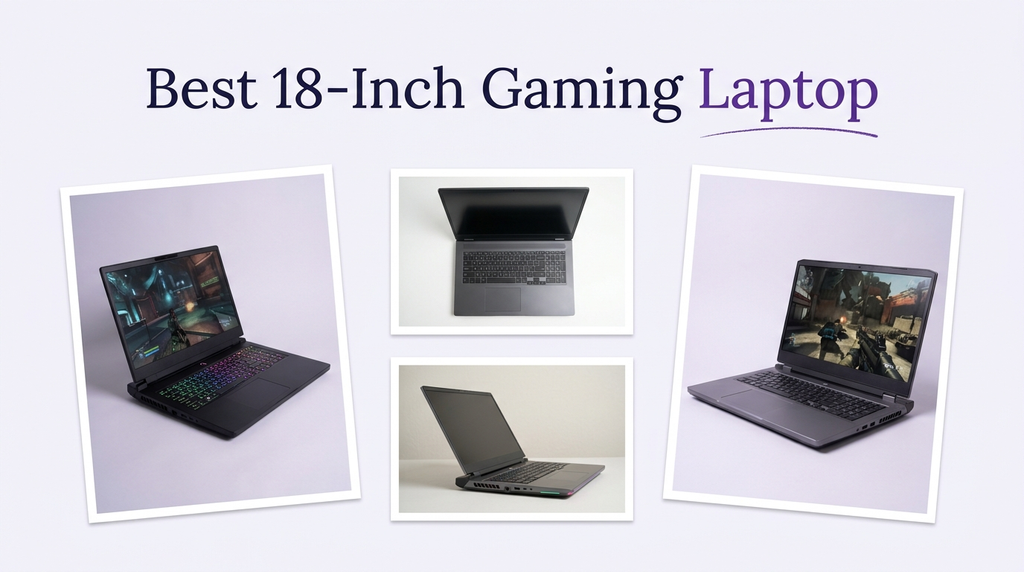
An 18-inch gaming laptop gives you a desktop-like screen without a separate monitor, but under $3,000 the money goes to different places in every model. We compare 10 big-screen machines by GPU tier, display resolution and refresh rate, memory, storage, cooling and chassis design.
Some of these laptops pair an RTX 5070 with a QHD+ 240Hz panel, while others use an RTX 5060 or RTX 5050 with an FHD+ screen and spend the savings on storage, memory or build. The right choice depends on whether you value frame rate, resolution, upgrade room or a lighter 18-inch body.
We compared the supplied specifications and customer ratings across these 10 models, focusing on graphics tier, processor class, display resolution and refresh rate, color coverage, memory, storage, cooling design, wireless connectivity, ports and chassis thickness. We weighed how each configuration fits different games, creative workloads and desk setups rather than assuming the priciest option is always the best match.
5.0/ 5

5.0/ 5

5.0/ 5
As an Amazon Associate we earn from qualifying purchases, at no additional cost to you.
Swipe across to compare all columns
| Product | Key highlights | Rating | Explore |
|---|---|---|---|
|
Best overall
MSI Crosshair 18 HX AI 2TB
|
Core Ultra 9 275HX
RTX 5070 8GB
18-inch 240Hz QHD+
2TB NVMe SSD
|
5.0/ 5 | Check Price |

Best multi-core performance
ASUS ROG Strix G18 Ryzen
|
Ryzen 9 9955HX
RTX 5070 8GB
18-inch 240Hz 2.5K
Two M.2 slots
|
5.0/ 5 | Check Price |
|
Best value
MSI Crosshair 18 HX AI 1TB
|
Core Ultra 9 275HX
RTX 5070 8GB
18-inch 240Hz QHD+
1TB NVMe SSD
|
5.0/ 5 | Check Price |

Best value
ASUS TUF A18 RTX 5060
|
Ryzen 7 260
RTX 5060 8GB
18-inch 144Hz FHD+
16GB DDR5
|
5.0/ 5 | Check Price |

Best value
ASUS TUF 18 32GB
|
Ryzen 7 260
RTX 5060 8GB
18-inch 144Hz FHD+
32GB DDR5
|
5.0/ 5 | Check Price |

Best slim 18-inch
GIGABYTE Gaming A18 RTX 5070
|
Ryzen 7 260
RTX 5070 GPU
18-inch display
Windows 11 Home
|
5.0/ 5 | Check Price |
|
Best value
GIGABYTE Gaming A18 RTX 5060
|
Ryzen 7 260
RTX 5060 GPU
18-inch display
Windows 11 Home
|
3.9/ 5 | Check Price |
Entry ROG option
ASUS ROG Strix G18 2026
|
Ryzen 9 8940HX
RTX 5050 GPU
18-inch 144Hz FHD+
16GB DDR5
|
4.4/ 5 | Check Price |
|
Premium pick
ASUS ROG Strix G18 G815
|
Ultra 9 275HX
RTX 5070 8GB
18-inch 240Hz 2.5K
Wi-Fi 7 connectivity
|
5.0/ 5 | Check Price |

Best 2.5K RTX 5060
ASUS ROG Strix G18 5060
|
Ultra 9 275HX
RTX 5060 8GB
18-inch 240Hz 2.5K
Wi-Fi 7 connectivity
|
5.0/ 5 | Check Price |
As an Amazon Associate we earn from qualifying purchases, at no additional cost to you.
The Crosshair 18 HX AI is built for buyers who treat a laptop as a desktop replacement. Its 18-inch QHD+ panel runs at 240Hz and covers 100% DCI-P3, so it suits both fast games and color-sensitive creative work. The large screen makes details easier to read in strategy and simulation titles, though it also makes the machine harder to carry every day.
Under the hood, the Core Ultra 9 275HX brings 24 cores and turbo speeds up to 5.4GHz, while the RTX 5070 with 8GB GDDR7 handles modern ray-traced games and GPU-accelerated creative apps. The 32GB DDR5 memory and 2TB NVMe SSD mean you can keep a large library installed without immediately managing free space.
The larger chassis gives cooling and connectivity more room. Wi-Fi 6E and Bluetooth 5.3 are included, along with a webcam privacy shutter and a Dynaudio speaker system. The trade-off is weight and desk footprint: this is not a machine you casually slip into a small bag for daily commuting.
Choose this if you want a big, fast screen and generous storage in a single machine. If portability matters more than screen size, the 16-inch options in other guides will be easier to live with.
An 18-inch panel gives games and creative timelines more room, which can reduce the need for an external monitor. The QHD+ resolution also keeps text and UI elements sharper than a 1080p display at the same size.
Frequent travelers or buyers with a compact desk should consider a smaller 16-inch model instead, because the 18-inch chassis takes up noticeably more space.
As an Amazon Associate we earn from qualifying purchases, at no additional cost to you.
The ROG Strix G18 pairs an AMD Ryzen 9 9955HX with an RTX 5070 and an 18-inch 2.5K 240Hz Nebula display. The 16-core, 32-thread processor is the most multi-core-capable chip in this comparison, which makes it a strong fit for streaming, rendering and other heavily threaded work alongside gaming.
The display covers 100% DCI-P3, supports G-SYNC and carries Pantone validation, so it suits color-sensitive creative work as well as fast games. The 240Hz refresh rate and 3ms response time keep motion smooth. Two SO-DIMM slots and two M.2 slots provide upgrade flexibility, with memory support up to 64GB.
One detail buyers should note is that the listing states the computer has been resealed to upgrade memory and storage, with a one-year warranty from the distributor. That is worth confirming with the seller before purchase. The 18-inch chassis is also large and heavy compared with 15.6- and 16-inch options.
This model fits buyers who want the strongest multi-core processor, a large color-accurate screen and upgrade room. If you prefer a factory-sealed configuration or a more portable chassis, the 16-inch options elsewhere are worth comparing.
Sixteen cores and 32 threads give the G18 more headroom for video export, 3D rendering and running multiple demanding apps at once. Gamers who only play and browse will see less benefit from the extra cores.
Buyers who want a factory-sealed laptop or a smaller chassis should consider a 16-inch model from a manufacturer rather than a reseller-upgraded unit.
As an Amazon Associate we earn from qualifying purchases, at no additional cost to you.
This Crosshair configuration is a slightly leaner take on the 2TB model, swapping in a 1TB SSD and adding Windows 11 Pro plus a Thunderbolt 4 port. It is the value option for buyers who want the same 18-inch QHD+ 240Hz panel, 24-core Ultra 9 275HX and RTX 5070 without paying for extra storage they may not need.
The display covers 100% DCI-P3, so it works for color-sensitive creative tasks as well as gaming. The 32GB of DDR5 memory keeps multitasking comfortable, and the 24-zone RGB backlit keyboard is customizable. Thunderbolt 4, three USB-A 3.2 ports, HDMI 2.1 and RJ45 cover most peripheral and display setups.
The main trade-off is storage: 1TB fills quickly with modern AAA titles, and the listing does not state a second M.2 slot. Wi-Fi 6E is current but not the newest standard. The 18-inch chassis is also a substantial carry compared with 16-inch models.
This model fits buyers who want a sharp QHD+ screen, Thunderbolt 4 and Windows 11 Pro at a lower price, and who can manage a smaller library or add external storage. If 2TB matters, the flagship Crosshair model is the simpler pick.
Thunderbolt 4 combines data, video and charging over one port, which is useful for docking an 18-inch laptop at a desk. It also supports high-speed external SSDs, a practical workaround if the 1TB internal drive fills up.
Buyers who want 2TB of internal storage or a second M.2 slot should compare the 2TB Crosshair model or the ROG G18 with two M.2 slots.
As an Amazon Associate we earn from qualifying purchases, at no additional cost to you.
The TUF A18 is the most budget-friendly way into an 18-inch gaming laptop. Its Ryzen 7 260 and RTX 5060 cover mainstream gaming at FHD+, and the 144Hz anti-glare panel with G-Sync and a MUX switch gives it the essentials for smooth play without paying for QHD+.
The 16GB of DDR5 memory and 1TB SSD are workable for a moderate library and everyday tasks, though heavy multitasking or large creative projects may want more memory. Windows 11 Pro is included, which is useful for students and small offices that need management features.
The MUX switch and NVIDIA Advanced Optimus let the laptop route frames directly from the GPU for performance or switch for battery life, which is a practical feature at this price. Wi-Fi 6E is current, and an FHD camera covers video calls. The main limitation is the FHD+ resolution, which looks less sharp on an 18-inch panel than QHD+.
This model fits buyers who want a large screen and modern RTX 5060 graphics on a tighter budget. If you want a sharper QHD+ panel or 32GB of memory, the higher-tier models are the better fit.
A MUX switch can improve gaming frame rates by sending frames directly from the discrete GPU to the display. Advanced Optimus adds automatic switching, which helps battery life when you are not gaming.
Buyers who want a QHD+ panel or 32GB of memory should compare the Crosshair 18 HX AI and the ROG G18 models.
As an Amazon Associate we earn from qualifying purchases, at no additional cost to you.
This TUF 18 configuration doubles the memory of the budget model to 32GB while keeping the Ryzen 7 260, RTX 5060 and 144Hz FHD+ display. It suits buyers who want a large screen, current-generation graphics and enough memory for heavy multitasking without jumping to QHD+ pricing.
The 18-inch FHD+ panel has a 16:10 aspect ratio, 3ms response time and G-Sync support, which helps with smooth, tear-free play. The chassis meets MIL-STD-810H durability standards, and Arc Flow Fans with a full-width heatsink and anti-dust filter are designed to sustain performance during long sessions.
Connectivity includes Wi-Fi 6E, Bluetooth 5.3 and a USB4 Type-C port with DisplayPort and Power Delivery, plus a 90Wh battery with fast charging that the listing states reaches 50% in 30 minutes. The main trade-off is the FHD+ resolution, which looks less detailed on an 18-inch panel than QHD+, and the RTX 5060 is not the strongest GPU here for ray tracing.
This model fits buyers who prioritize memory, durability and battery capacity over maximum resolution. If you want a sharper QHD+ screen or RTX 5070 graphics, the Crosshair and ROG models are the better match.
Military-standard durability testing covers temperature, vibration, shock and other environmental factors. It does not make a laptop indestructible, but it suggests the chassis is built to handle more everyday knocks than a standard consumer design.
Buyers who want a QHD+ display or stronger ray tracing should compare the RTX 5070 models in this list.
As an Amazon Associate we earn from qualifying purchases, at no additional cost to you.
The GIGABYTE Gaming A18 stands out for pairing an RTX 5070 with a 20mm slim chassis and a 180-degree lay-flat hinge. That combination suits buyers who want 18-inch screen immersion and strong graphics in a body that is easier to carry than the chunky desktop replacements in this list.
The AMD Ryzen 7 260 processor handles gaming, streaming and everyday productivity, while the RTX 5070 with DLSS 4 and ray tracing covers modern titles and GPU-accelerated creative apps. GIGABYTE’s GiMATE interface is designed to make system control more intuitive, though buyers should expect some time learning its layout.
The slim chassis is the main practical advantage for anyone who moves a laptop between rooms or carries it occasionally. The trade-off is that a thinner body generally has less room for cooling than a larger gaming chassis, so sustained performance may be more limited during long sessions. The available specification detail is also less complete than for the other models.
This model fits buyers who want RTX 5070 graphics and an 18-inch screen in a slimmer, more flexible design. If maximum sustained performance or detailed specification certainty matters most, a larger chassis with more published detail is the safer choice.
A 180-degree hinge lets the screen lie flat, which is useful for sharing a display across a desk or adjusting the viewing angle on a sofa or bed. It is a small feature that improves everyday flexibility.
Buyers who want the most robust cooling and the most complete specification detail should compare the MSI Crosshair or ASUS ROG G18 models.
As an Amazon Associate we earn from qualifying purchases, at no additional cost to you.
This GIGABYTE A18 configuration swaps the RTX 5070 for an RTX 5060 while keeping the slim 20mm chassis and 180-degree hinge. It suits buyers who want an 18-inch screen, a flexible design and current-generation graphics without paying for the higher GPU tier.
The Ryzen 7 260 processor handles gaming and everyday work, and the RTX 5060 supports ray tracing and DLSS 4 for modern titles. The slim chassis makes it easier to move between rooms than a thicker desktop replacement, and the lay-flat hinge adds flexibility for sharing a screen.
The main caution is the customer rating, which is the lowest in this comparison. That does not identify a specific flaw by itself, but it is worth reading recent owner feedback and checking the return policy before buying. The slim body may also limit sustained cooling, and the available specification detail is less complete than for rival models.
This model fits budget-conscious buyers who want a slim 18-inch laptop with RTX 5060 graphics. If the highest customer satisfaction or the most robust cooling matters more, the ASUS TUF and MSI Crosshair models are worth comparing.
A lower rating does not automatically mean a poor laptop, but it does warrant extra reading. Look for patterns in owner comments about cooling, build or support before deciding, and confirm the seller’s return terms.
Buyers who want the highest-rated experience or more published specification detail should compare the ASUS TUF A18 and MSI Crosshair models.
As an Amazon Associate we earn from qualifying purchases, at no additional cost to you.
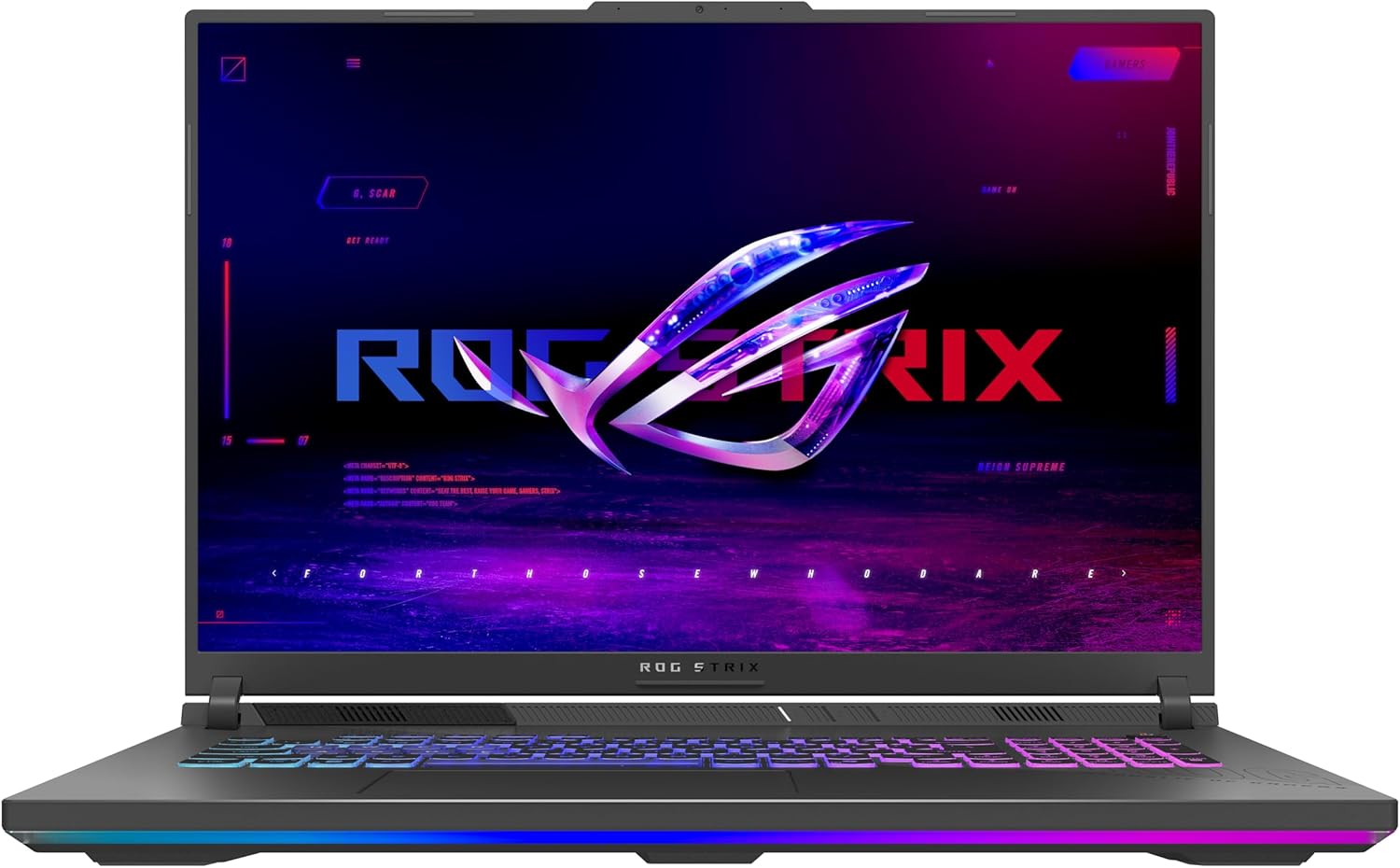
The 2026 ROG Strix G18 is the entry point to ASUS’s big-screen ROG line. Its RTX 5050 is the least powerful GPU in this comparison, so it suits gaming at moderate settings rather than maximum ray tracing. The 18-inch FHD+ panel runs at 144Hz with a 3ms response time and an anti-glare film to reduce reflections.
The Ryzen 9 8940HX processor provides strong multi-core performance for gaming, streaming and productivity, and the 1TB Gen 4 SSD is a practical size for a moderate library. ROG’s cooling uses tri-fan technology, a full-width heatsink and full-surround vents, which is a meaningful advantage for sustained sessions.
The RGB lightbar can be switched to Stealth Mode for a more professional look in shared spaces, and Wi-Fi 6E covers current wireless needs. The main trade-off is the RTX 5050, which has less headroom for demanding new titles, along with 16GB of memory that is less comfortable for heavy multitasking.
This model fits buyers who prioritize ROG cooling and an 18-inch screen over maximum graphics performance. If you want more GPU headroom, the RTX 5060 and RTX 5070 models in this list are the better match.
A laptop that throttles after twenty minutes undermines its own specifications. The tri-fan, full-width heatsink design is aimed at keeping clocks steadier during long sessions, which matters more than a short burst of peak performance.
Buyers who want stronger graphics for demanding new titles should compare the RTX 5060 models, which offer more headroom at a similar or lower price.
As an Amazon Associate we earn from qualifying purchases, at no additional cost to you.
The ROG Strix G18 G815 pairs an Intel Core Ultra 9 275HX with an RTX 5070 and an 18-inch 2.5K 240Hz panel that covers 100% DCI-P3 with a 3ms response time. It is the most color-accurate big-screen option in this comparison, which makes it a strong fit for creative work as well as gaming.
The 24-core Ultra 9 275HX and 32GB of RAM handle heavy multitasking, streaming and rendering, while the RTX 5070 with 8GB GDDR7 covers modern ray-traced games. Wi-Fi 7 adds future-ready wireless, and the port selection includes Thunderbolt 4, USB-C 3.2, HDMI 2.1 FRL and RJ45 Ethernet.
Windows 11 Pro is included, along with a 4-zone RGB backlit keyboard, Smart Amp, Dolby Atmos and an FHD IR camera. The main limitation is storage: 1TB fills quickly with a large game library. The 18-inch chassis is also a substantial carry compared with 16-inch models.
This model fits buyers who want the most color-accurate 18-inch display, strong multi-core performance and modern connectivity. If you need more internal storage out of the box, the 2TB Crosshair model is the simpler pick.
Wide color coverage helps when you edit photos or video, because the screen can show more saturated colors accurately. For gaming alone, the sharper 2.5K resolution and 240Hz refresh rate are the more noticeable benefits.
Buyers who want 2TB of internal storage or a lower price should compare the MSI Crosshair models, which offer similar screen quality with different storage configurations.
As an Amazon Associate we earn from qualifying purchases, at no additional cost to you.
This ROG Strix G18 G815 configuration keeps the 18-inch 2.5K 240Hz color-accurate display and 24-core Ultra 9 275HX but steps down to an RTX 5060. It suits buyers who want a sharp, wide-color screen and strong processing for creative work, with graphics power that covers mainstream gaming rather than the highest ray-tracing settings.
The 32GB of DDR5 memory and 1TB SSD are appropriate for the class, and Wi-Fi 7 keeps wireless connectivity current. The port selection includes Thunderbolt 4, USB-C 3.2, HDMI 2.1 FRL and RJ45 Ethernet, while the 4-zone RGB keyboard, Dolby Atmos and FHD IR camera round out the everyday features.
The main trade-off is the GPU tier: the RTX 5060 has less headroom than the RTX 5070 for ray tracing and high-refresh QHD+ gaming. The 1TB storage is also modest for a large library, and the 18-inch chassis is a substantial carry.
This model fits buyers who prioritize screen quality, processing power and modern connectivity over maximum graphics performance. If you want the strongest ray tracing in an 18-inch ROG, the RTX 5070 G815 configuration is the better match.
A 2.5K 240Hz panel is demanding, and the RTX 5060 will not reach the highest frame rates at native resolution in every game. DLSS and lower in-game settings help close the gap, but buyers who want maximum frame rates should prioritize the RTX 5070 models.
Buyers who want stronger ray tracing and higher frame rates at 2.5K should compare the RTX 5070 versions of the ROG G18 and MSI Crosshair.
As an Amazon Associate we earn from qualifying purchases, at no additional cost to you.
An 18-inch gaming laptop is a desk-first machine, so the priorities shift toward screen quality, cooling and graphics power rather than pure portability. The right balance depends on your games, your creative work and how often the laptop stays put.
The graphics processor has the biggest influence on frame rates and visual settings. In this list, the RTX 5070 models sit above the RTX 5060, which in turn outpaces the RTX 5050. A higher-tier GPU generally supports more demanding ray tracing and higher resolutions, though the gap varies by game and by how much power the laptop can deliver.
GPU memory also matters. The RTX 5070 and RTX 5060 models here carry 8GB of GDDR7, which is workable at QHD+ but can become a constraint at higher resolutions with high-resolution textures. More memory helps, but it does not make a lower-tier GPU faster on its own.
Set a target resolution and frame rate first. If you mostly play esports at FHD+, an RTX 5060 is enough. If you want ray tracing at 2.5K, prioritize the RTX 5070 models.
The display is what you interact with every day, and on an 18-inch laptop it is the main reason to choose the size. A 144Hz FHD+ panel is a good starting point for smooth gaming and costs less GPU power. A 240Hz QHD+ or 2.5K panel offers sharper visuals and faster motion but demands more graphics performance to reach those frame rates.
Panel quality also varies. Some models here cover 100% DCI-P3 and include G-SYNC or Pantone validation, which helps with creative work and media. Anti-glare coatings reduce reflections in bright rooms. A glossy panel may look more vibrant but can be harder to use near a window.
Prioritize refresh rate if you play fast competitive games. Prioritize resolution and color coverage if you also edit photos or video. Avoid paying for a 240Hz panel if your games cannot exceed 200 frames per second.
The processor affects game loading, background tasks, streaming and creative software. The Core Ultra 9 and Ryzen 9 HX chips in this list have 16 to 24 cores, which is useful for video editing, 3D rendering and running virtual machines alongside a game. The Ryzen 7 options are still capable for gaming but offer less headroom for heavy multitasking.
More cores do not automatically mean better gaming performance, because most games rely more on the GPU. However, a strong processor helps maintain smooth frame times when other apps are running. If you stream, record gameplay or edit video, the higher-core chips are worth the premium.
Choose a mid-tier processor if gaming is your main task and you close background apps. Choose a 24-core HX chip if you regularly create content or multitask heavily.
16GB of RAM is the practical minimum for modern gaming, but 32GB is increasingly useful for multitasking, creative apps and future headroom. Several models here ship with 32GB, which reduces the need to upgrade later. Check whether the memory is soldered or socketed if you plan to expand.
Storage is just as important. Modern games can take 100GB or more each, so a 1TB drive fills quickly. A 2TB drive is more comfortable for a large library, while a single 1TB drive with no second M.2 slot leaves less room to grow. Look for PCIe Gen 4 SSDs for fast load times.
Buy as much memory and storage as you can reasonably afford at purchase. Upgrading later is possible on some models, but it adds cost and effort.
An 18-inch chassis has more room for cooling than a 16-inch laptop, and that is one of its main advantages. Vapor chambers, multiple fans, liquid metal and large heat sinks are all designed to reduce throttling during long gaming sessions. A bigger body generally cools better than a thinner one because it has more room for airflow.
Do not judge cooling by the number of fans alone. Look for a design that covers both the CPU and GPU and has a reputation for sustained performance. The ROG models here use tri-fan technology with a full-width heatsink, while the ASUS TUF uses Arc Flow Fans and an anti-dust filter.
If you play for hours at a time, prioritize cooling. If you only play in short sessions, a simpler cooling system may be adequate.
An 18-inch gaming laptop is rarely a lightweight ultrabook. Even the slimmer models here are a substantial carry, and the charger adds more weight. Thickness varies, with GIGABYTE’s A18 listing a 20mm chassis and the MSI Crosshair and ROG models generally thicker.
Battery life is another compromise. Gaming laptops typically drain quickly under load, so plan to use the charger for extended play. Some models include a MUX switch or Advanced Optimus to improve battery life for non-gaming tasks. That feature is useful if you use the laptop for work or study away from an outlet.
Choose a slimmer model if you move the laptop between rooms regularly. Choose a larger, thicker model if it mostly stays on a desk and you want the best cooling.
Check the ports before buying. You need enough USB-A and USB-C ports for your peripherals, plus HDMI or DisplayPort for an external monitor. An Ethernet port is useful for stable online gaming. Thunderbolt 4 adds flexibility for docking and high-speed external storage.
Wi-Fi 6E and Wi-Fi 7 are newer standards that can reduce latency and congestion on compatible routers, but they will not improve a slow internet plan. Wireless standards matter more in crowded networks. If you play competitively, a wired connection is still the most reliable choice.
Prioritize Ethernet and enough USB ports if you use a lot of accessories. Prioritize Wi-Fi 7 if you have a compatible router and want future-proofing.
Warranty and seller terms vary in this category. The ROG Strix G18 Ryzen listing states the unit has been resealed to upgrade memory and storage with a distributor warranty, while other models are sold in standard configurations. Those differences affect what happens if something goes wrong.
Read the listing carefully to see who provides support and whether the configuration has been modified after leaving the factory. A lower price is less appealing if support is unclear or if the return window is short.
If service matters to you, prioritize models with clear manufacturer support. If you are comfortable with third-party configuration, verify the seller’s warranty terms before buying.
Price is not a perfect indicator of value in this category. The ASUS TUF A18 delivers an 18-inch 144Hz screen and RTX 5060 for less than the QHD+ models, while the MSI Crosshair 18 HX AI pairs a 240Hz QHD+ panel and RTX 5070 with different storage options. Compare the whole package rather than one specification.
Upgradeability can extend lifespan. Tool-free access to RAM and storage is a plus, and a spare M.2 slot makes it easier to add capacity later. Some laptops have soldered memory, so check before assuming you can upgrade.
Set a budget and identify the one or two features you care most about. Spend on the GPU and display first, then add memory and storage if the budget allows.
Set up the laptop on a hard, flat surface so the cooling vents are not blocked. An 18-inch machine takes up more desk space, so plan for the footprint and leave room for a mouse and external monitor if you use one. Avoid using it on a bed or cushion for long gaming sessions, because trapped heat can cause the fans to run louder and the components to throttle.
Keep the operating system and graphics drivers up to date. Many gaming laptops rely on vendor control software to switch between integrated and discrete graphics, adjust fan profiles and enable the highest refresh rate. Familiarize yourself with those settings so you are not leaving performance unused. For competitive play, enable the direct GPU mode if the model supports it.
Clean the vents regularly with compressed air and keep the laptop away from dust and pet hair. Check the manufacturer’s guidance before opening the chassis for upgrades, because some models have tool-free access while others require more care. Store the laptop in a padded sleeve when carrying it, and use a surge protector when plugged in.
In this price range you can find an RTX 5060 or RTX 5070, a current-generation processor, 16GB or 32GB of memory and a 144Hz to 240Hz display. The exact balance varies: some models spend more on a QHD+ panel, others on storage, memory or a slimmer chassis.
It is heavier and larger than a 16-inch laptop, so it is best suited to moving between rooms rather than daily commuting. Slimmer models exist, but the screen and chassis still take up more bag space. Check the total carry weight including the charger before buying.
The RTX 5070 offers more graphics headroom for ray tracing and higher resolutions, so it is worth considering if you play demanding titles at QHD+ or above. If you mostly play esports at FHD+, an RTX 5060 can be enough and may come with a sharper screen or more storage for the same budget.
For most games, 16GB is still enough. However, 32GB is useful if you stream, edit video, run virtual machines or keep many browser tabs open while playing. Several laptops in this list include 32GB, which gives more headroom for multitasking and future game requirements.
A 240Hz display can look smoother in fast competitive games, but only if your GPU can push frame rates close to that refresh rate. If you play slower or more demanding titles, a 144Hz or 165Hz panel may be a better value. Consider the games you play most before paying extra for a higher refresh rate.
A 1TB SSD is a practical minimum for a moderate game library, while 2TB is more comfortable if you keep many large titles installed. Check whether the laptop has an extra M.2 slot if you plan to add storage later. Some configurations here list one M.2 slot, so plan accordingly.
Some models allow access to memory and storage, while others require more disassembly. The ROG Strix G18 Ryzen lists two SO-DIMM and two M.2 slots, and the ROG G815 models list Thunderbolt 4 and USB-C ports. Always check the specific model’s upgrade documentation before buying.
Wi-Fi 7 supports newer wireless standards with potentially higher throughput and lower latency on compatible routers. It is more future-ready, but the real-world benefit depends on your router and internet connection. If you use Ethernet for gaming, the Wi-Fi standard matters less.
A desktop generally offers more performance per dollar and better cooling for the price. Choose a desktop if you always play at a desk and do not need portability. Choose an 18-inch laptop if you want a large screen in one package that can move between rooms.
Confirm who provides the warranty and what it covers, because a resealed unit may carry a distributor warranty rather than the manufacturer’s standard terms. Ask about the return window and whether the upgraded memory and storage are covered. If the seller’s terms are unclear, consider a factory-sealed configuration instead.
The MSI Crosshair 18 HX AI is our Best overall choice because it combines an 18-inch QHD+ 240Hz display, a 24-core processor, an RTX 5070 and 2TB of storage in one well-rounded package. It suits buyers who want a desktop replacement with a big screen and generous storage without exceeding a $3,000 budget.
The 1TB Crosshair model is the Best value pick for shoppers who want the same screen and GPU with Thunderbolt 4 and Windows 11 Pro, while the ASUS ROG Strix G18 G815 is the Premium pick for those who want a color-accurate 2.5K panel and Wi-Fi 7. The ASUS TUF A18 is worth considering if a lower price and 144Hz screen matter more than QHD+ resolution.
Your final decision should come down to the games you play and how often you move the laptop. Prioritize the GPU and display for gaming, the processor and memory for creative work, and the chassis thickness for portability. Matching those priorities to your budget will lead you to the right machine.