

CyberPowerPC Ryzen 7 8700F
4.3/ 5
Ryzen 7 8700F processor
RTX 5060 Ti 8GB
16GB DDR5 memory
WiFi 6 and Bluetooth 5.3
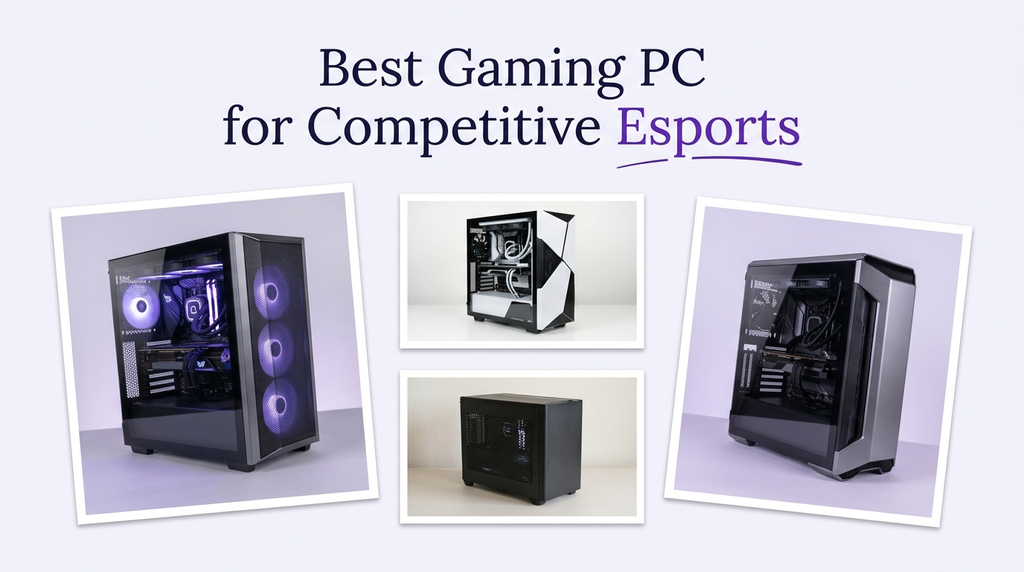
Competitive esports rewards high frame rates, stable frame pacing, and low input latency more than cinematic visuals. A machine that runs a shooter at 240 frames per second without stutter gives you a real edge over one that looks prettier but fluctuates. We compare 10 gaming desktops by processor, graphics card, memory, storage, cooling, and connectivity to find the right fit for competitive play.
Esports titles such as Valorant, Counter-Strike 2, Fortnite, Apex Legends, and League of Legends are often designed to run well on modest hardware. That does not mean any desktop will do. A fast processor helps hold high frame rates and keeps input latency low, a capable graphics card provides headroom at 1080p or 1440p, and enough memory keeps the game, voice chat, and browser running smoothly.
To build this guide, we compared the listed specifications and customer ratings across all ten desktops. We weighed processor generation and core count, graphics card tier, memory capacity and speed, SSD size and type, cooling design, USB and wireless connectivity, and case expansion room. We also considered how each machine fits different competitive setups rather than ranking by price alone. The recommendations reflect specification-based reasoning, not measured test results.
4.3/ 5
4.4/ 5

4.2/ 5
As an Amazon Associate we earn from qualifying purchases, at no additional cost to you.
Swipe across to compare all columns
| Product | Key highlights | Rating | Explore |
|---|---|---|---|
|
Best overall
CyberPowerPC i9-14900KF
|
Core i9-14900KF CPU
RTX 5070 12GB
32GB DDR5 memory
2TB NVMe SSD
|
4.4/ 5 | Check Price |
|
Best for high refresh rates
Skytech Ryzen 7 9850X3D
|
Ryzen 7 9850X3D CPU
RTX 5080 16GB
32GB DDR5 memory
2TB NVMe SSD
|
4.7/ 5 | Check Price |

Best for CPU-heavy play
iBUYPOWER Element
|
Ryzen 9 7900X CPU
RTX 5070 12GB
32GB DDR5 memory
1TB NVMe SSD
|
4.3/ 5 | Check Price |
|
Premium pick
Skytech Ryzen 7 9800X3D
|
Ryzen 7 9800X3D CPU
RTX 5070 Ti 16GB
32GB DDR5 6000
2TB NVMe SSD
|
4.2/ 5 | Check Price |

Best value
Ryzen 7 RX 6500 XT Desktop
|
Ryzen 7 4700LE CPU
RX 6500 XT 4GB
16GB DDR4 memory
512GB SSD
|
4.2/ 5 | Check Price |
|
Best value
CyberPowerPC Ryzen 7 8700F
|
Ryzen 7 8700F CPU
RTX 5060 Ti 8GB
16GB DDR5 memory
1TB NVMe SSD
|
4.3/ 5 | Check Price |

Best value
RTX 3060 Ti Ryzen 5 Desktop
|
Ryzen 5 5500 CPU
RTX 3060 Ti 8GB
16GB DDR4 memory
512GB PCIe SSD
|
4.8/ 5 | Check Price |

Best mid-range balance
MSI Codex Z2 RTX 5070
|
Ryzen 7 8700F CPU
RTX 5070 12GB
32GB DDR5 memory
2TB NVMe SSD
|
4.2/ 5 | Check Price |

Best for first-time builders
Skytech Ryzen 7 5700
|
Ryzen 7 5700 CPU
RTX 5060 8GB
32GB DDR4 memory
1TB NVMe SSD
|
4.5/ 5 | Check Price |
Best balanced 1080p
Skytech Ryzen 7 7700
|
Ryzen 7 7700 CPU
RTX 5060 Ti 8GB
32GB DDR5 memory
1TB NVMe SSD
|
4.4/ 5 | Check Price |
As an Amazon Associate we earn from qualifying purchases, at no additional cost to you.
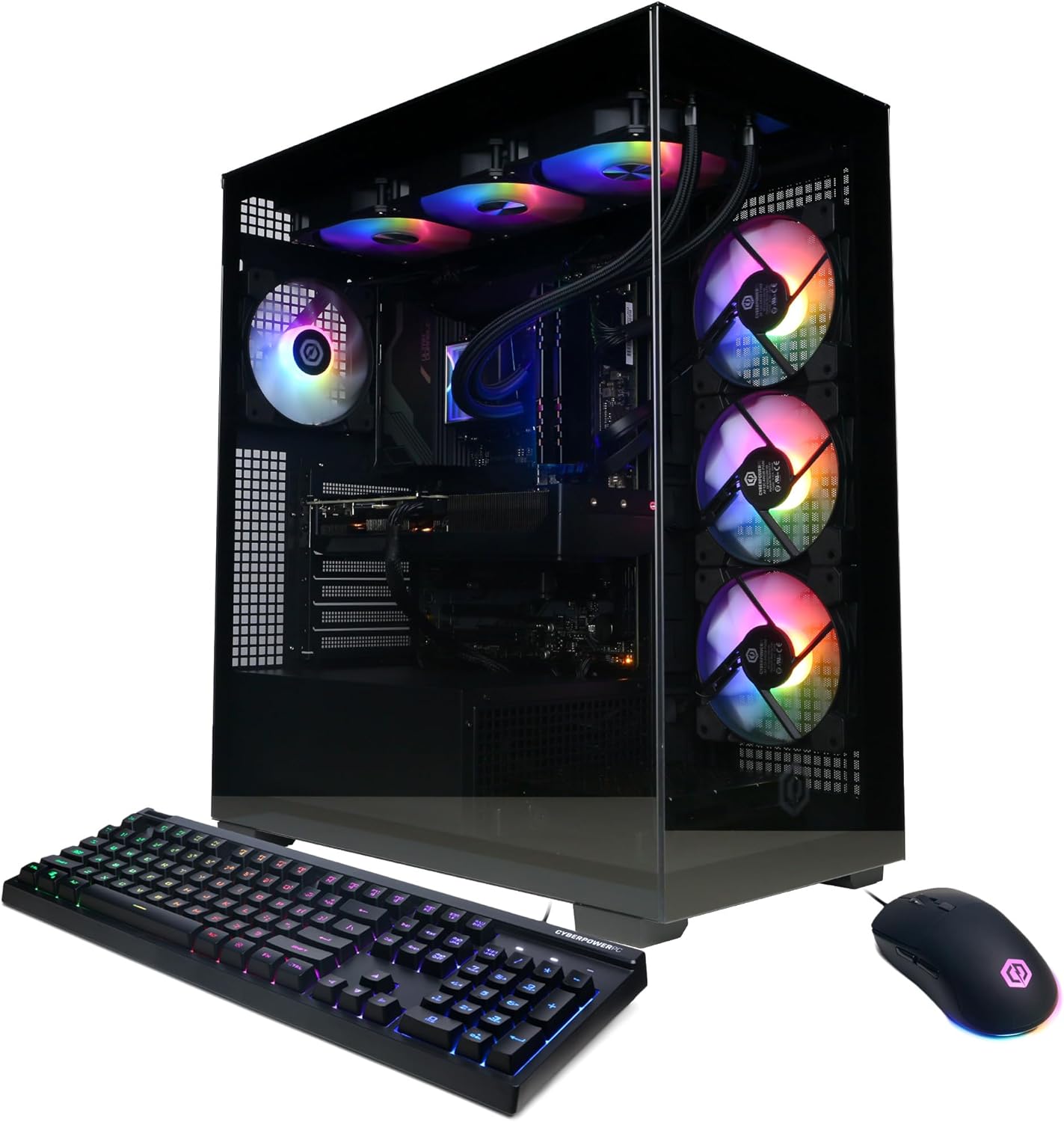
This CyberPowerPC configuration is the Best overall pick for competitive esports because it pairs a very fast processor with a capable graphics card and generous memory. The Core i9-14900KF has 24 cores, which is far more than most esports titles need, but the high clock speeds and core count help hold high frame rates when the game, voice chat, and browser are running at once.
The RTX 5070 12GB is more than enough for titles like Valorant and Counter-Strike 2 at 1080p or 1440p, and it leaves headroom for higher refresh rates. The 32GB of DDR5 memory supports multitasking, and the 2TB NVMe SSD gives you fast load times and space for a large game library. Liquid cooling helps sustain performance during long sessions.
Connectivity is generous, with USB-C 3.2 and several USB-A ports for a mouse, keyboard, headset, and streaming accessories. The older WiFi 5 and Bluetooth 4.2 standards are the main compromise; for competitive play, a wired Ethernet connection is preferable anyway. The tempered-glass case looks good but takes up space.
The i9-14900KF draws significant power, so this machine makes the most sense for a competitor who wants strong CPU performance and will use it. If you want the newest wireless standards or a smaller footprint, other options may fit better. For a high-refresh esports setup with room to grow, it is a balanced choice.
Esports titles often run at high frame rates and rely on the processor to keep up with game logic and input. A fast CPU helps maintain consistent frame pacing, which can make aiming and movement feel more responsive.
Players who want a smaller case or the newest wireless standard should compare the MSI Codex or Skytech models. Anyone who mainly plays at 1080p may not need the full power of the i9.
As an Amazon Associate we earn from qualifying purchases, at no additional cost to you.
The Skytech Ryzen 7 9850X3D with the RTX 5080 is the most powerful gaming desktop in this comparison, and it is aimed at competitors who want the highest possible frame rates at 1440p or 1080p. The RTX 5080 16GB sits above every other card here, which matters if you play at high refresh rates or with high graphics settings.
AMD's X3D processors include a large cache that can improve performance in games sensitive to memory latency. In esports, where consistent frame pacing and low input latency matter, that can be a real advantage. The 32GB of DDR5 memory and 2TB NVMe SSD give you a strong foundation for multitasking and a large game library.
Cooling is handled by a 360mm AIO liquid cooler with ARGB fans, a setup suited to long practice sessions and tournaments. The case is a showcase design with a tempered-glass panel, so check the dimensions against your desk. The listed graphics outputs are one HDMI and one DisplayPort, which is fine for a single high-refresh monitor.
The main trade-offs are the older WiFi 5 standard and the premium price. If you use a wired connection and want maximum esports performance, this is the top choice. If you mainly play at 1080p, a less expensive model may deliver the frame rates you need.
A high refresh rate monitor only helps if the PC can push frames fast enough to fill it. The RTX 5080 provides the headroom to take advantage of 240Hz or 360Hz displays in esports titles at 1080p or 1440p.
Players with a 144Hz or 165Hz monitor may not need the full power of the RTX 5080. Anyone who needs the newest wireless standard should plan for a wired connection or check for an adapter.
As an Amazon Associate we earn from qualifying purchases, at no additional cost to you.
The iBUYPOWER Element is built around the twelve-core Ryzen 9 7900X, making it the most CPU-heavy option in this comparison below the top Skytech model. For competitive players who stream their practice sessions or run heavy software alongside the game, that extra core count provides useful headroom.
The RTX 5070 12GB is a capable card for esports at 1080p and 1440p, and it provides enough performance for high refresh rates in titles like Valorant and Counter-Strike 2. The 32GB of DDR5 memory supports multitasking, and the six USB 3.1 ports give you room for a mouse, keyboard, headset, and capture card.
The main limitation is storage. A 1TB NVMe SSD can fill quickly with a large game library, so buyers who keep many titles installed should plan to add a drive. The tempered-glass RGB case is a standard design, and there is no USB-C port listed, which may matter for newer accessories.
This desktop makes sense for a competitor who wants strong CPU headroom for streaming and practice. If your priority is maximum gaming performance or more storage out of the box, the RTX 5080 models and 2TB configurations are better choices.
Streaming or recording your practice sessions adds CPU load. The Ryzen 9's extra cores help keep the game running smoothly while the encoder and chat applications work in the background.
Players who keep a large game library should choose a desktop with more storage. Anyone who wants maximum frame rates at high refresh rates should compare the RTX 5080 models.
As an Amazon Associate we earn from qualifying purchases, at no additional cost to you.
The Skytech Ryzen 7 9800X3D with the RTX 5070 Ti is a gaming-first desktop aimed at competitors who want strong frame rates without stepping up to the most expensive GPU tier. The RTX 5070 Ti 16GB is a meaningful step up from the RTX 5070 12GB models, offering more graphics memory and headroom for high refresh rates.
The Ryzen 7 9800X3D is designed with a large cache that benefits games sensitive to memory latency. In esports, that can translate into more consistent frame pacing when the CPU is managing game logic and input. The 360mm AIO liquid cooler and 32GB of DDR5 6000 memory round out a strong configuration.
The 2TB NVMe SSD gives you ample space for a large game library, and the liquid cooling supports long practice sessions. The main limitations are the older WiFi 5 standard and less GPU headroom than the RTX 5080 model. For most competitive players, the RTX 5070 Ti is already more than enough.
Choose this desktop if you want a gaming-focused CPU and a 16GB graphics card with generous storage. If you want the absolute highest frame rates, the RTX 5080 model is the step up. For a balanced high-refresh esports rig, this is a strong premium choice.
Both GPUs have 16GB of memory, but the RTX 5080 offers more raw performance. For 1080p and 1440p esports, the RTX 5070 Ti is already capable; the RTX 5080 leaves more headroom for the highest refresh rates.
Players who want the maximum frame rates in this comparison should choose the RTX 5080 model. Anyone who needs the newest wireless standard should plan for a wired connection.
As an Amazon Associate we earn from qualifying purchases, at no additional cost to you.
This desktop pairs an eight-core Ryzen 7 4700LE with the Radeon RX 6500 XT 4GB, 16GB of DDR4 memory, and a 512GB SSD. It is the most affordable way into esports gaming in this comparison, and it is aimed at first-time competitors who play titles like Valorant, Fortnite, and Apex Legends at 1080p.
The RX 6500 XT is an entry-level card, but it can deliver playable frame rates in many esports titles at 1080p with moderate settings. The eight-core Ryzen 7 provides enough processing power for the game and voice chat. The 16GB of memory is sufficient for esports alone, though heavy multitasking will be limited.
The main limitations are the 4GB of graphics memory and the 512GB SSD. The smaller GPU memory can become a constraint in newer titles or at higher settings, and the SSD fills quickly with a large game library. WiFi 6 is included, which is a nice touch at this price.
This desktop makes sense for a new competitor on a tight budget who mainly plays lightweight esports titles at 1080p. If you want more headroom for future titles or higher refresh rates, the RTX 5060 and RTX 5070 models are a better fit.
Titles like Valorant and League of Legends are designed to run on modest hardware. The RX 6500 XT can handle them at 1080p, making this a reasonable starting point for a new player.
Players who want higher refresh rates or play more demanding titles should choose a stronger graphics card. Anyone with a large game library should prioritize more storage.
As an Amazon Associate we earn from qualifying purchases, at no additional cost to you.
The CyberPowerPC Ryzen 7 8700F is the Best value pick for competitive esports because it pairs a modern eight-core processor with the RTX 5060 Ti 8GB at a more accessible price. It is a sensible choice for players who want strong 1080p performance and current connectivity without paying for top-tier hardware.
The Ryzen 7 8700F provides enough processing power for esports titles, voice chat, and browser windows. The RTX 5060 Ti 8GB is capable of high frame rates in games like Valorant and Counter-Strike 2 at 1080p, and it supports modern features. The 1TB NVMe SSD provides fast load times and reasonable storage.
Connectivity is a strong point, with WiFi 6, Bluetooth 5.3, and two USB-C 3.2 ports. The 16GB of DDR5 memory is the main limitation for heavy multitasking, and the 8GB of graphics memory is modest for future titles at higher settings. The tempered-glass case and RGB lighting are standard for the category.
Choose this desktop if you want a well-rounded 1080p esports machine with current connectivity at a reasonable price. If you run many applications at once or want more graphics headroom, the 32GB and RTX 5070 configurations are a step up.
The combination of a modern eight-core CPU, RTX 5060 Ti, WiFi 6, and a 1TB SSD covers the essentials for competitive play without paying for premium extras.
Players who stream or multitask heavily should choose 32GB of memory. Anyone who wants more graphics headroom for future titles should compare the RTX 5070 models.
As an Amazon Associate we earn from qualifying purchases, at no additional cost to you.
This desktop pairs the RTX 3060 Ti 8GB with the Ryzen 5 5500, 16GB of DDR4 memory, and a 512GB PCIe SSD. It is a budget-focused option that still delivers strong 1080p performance in esports titles, and it carries the highest customer rating in this comparison.
The RTX 3060 Ti is a capable card for games like Valorant, Counter-Strike 2, and Fortnite at 1080p, and it supports DLSS for additional performance. The Ryzen 5 5500 has six cores, which is enough for esports and voice chat, though it is less capable than the Ryzen 7 and Ryzen 9 processors elsewhere in this list.
The case includes seven ARGB fans, which is a strong cooling setup for the price. Connectivity includes USB-C, three DisplayPort outputs, WiFi 6, and Bluetooth. The main limitations are the 512GB SSD, which fills quickly with a large library, and the older processor.
This desktop makes sense for a budget-conscious competitor who mainly plays lightweight esports titles at 1080p. If you want more processing power or storage, the Ryzen 7 configurations are a better fit.
A high customer rating suggests buyers have been satisfied with this configuration. It is still worth reading individual reviews to understand the experience with the older processor and smaller SSD.
Players who stream or multitask should choose a more powerful processor. Anyone with a large game library should prioritize a 1TB or 2TB SSD.
As an Amazon Associate we earn from qualifying purchases, at no additional cost to you.
The MSI Codex Z2 with the Ryzen 7 8700F and RTX 5070 is a balanced mid-range desktop that fits competitive esports at 1080p and 1440p. The eight-core Ryzen processor has enough headroom for the game and voice chat, while the RTX 5070 12GB provides strong performance for high refresh rates.
The RTX 5070 is a capable card for esports titles, and its 12GB of graphics memory gives it more headroom than the 8GB cards here. The 32GB of DDR5 memory supports multitasking, and the 2TB NVMe SSD provides generous space for a large game library.
Cooling uses an ARGB air cooler plus four case fans, which is adequate for a Ryzen 7 but less aggressive than the 360mm liquid coolers on the Skytech models. There is no USB-C port listed, so check your accessories. The built-in RGB lighting can be controlled through MSI Center.
This is a good choice for a competitor who wants a well-rounded desktop without paying the top-tier price. If you want maximum frame rates or liquid cooling, the RTX 5070 Ti and RTX 5080 models are the step up.
Esports titles often run at high frame rates but lower GPU loads than AAA games. A good air cooler with four case fans is adequate for a Ryzen 7 in this scenario.
Players who want the quietest cooling under sustained load may prefer a liquid-cooled model. Anyone who needs USB-C for an accessory should verify the port layout.
As an Amazon Associate we earn from qualifying purchases, at no additional cost to you.
The Skytech Ryzen 7 5700 pairs an older eight-core processor with the RTX 5060 8GB, 32GB of DDR4 memory, and a 1TB NVMe SSD. It is aimed at players who want plenty of memory for multitasking and a capable 1080p esports experience without a premium price.
The RTX 5060 is a current-generation card, and it handles titles like Valorant and Fortnite at 1080p well. The Ryzen 7 5700 is older than the other processors in this list, but its eight cores are still enough for esports and voice chat. The 32GB of memory is a genuine advantage if you keep many applications open.
The case features triple tempered-glass panels and a high-performance air cooler. Connectivity includes WiFi and USB ports, and a keyboard and mouse are included. The main limitations are the older processor platform and the 8GB of graphics memory, which leaves less headroom for future titles.
This desktop makes sense for a first-time competitor who wants ample memory and storage at a reasonable price. If you want a newer platform or more graphics headroom, the Ryzen 7 7700 and RTX 5070 models are a better fit.
32GB of memory lets you keep the game, voice chat, browser, and other tools open without pressure. That is useful for players who multitask during practice or between matches.
Players who want a newer processor platform should compare the Ryzen 7 7700 or 8700F models. Anyone who wants more graphics headroom should choose an RTX 5070 configuration.
As an Amazon Associate we earn from qualifying purchases, at no additional cost to you.
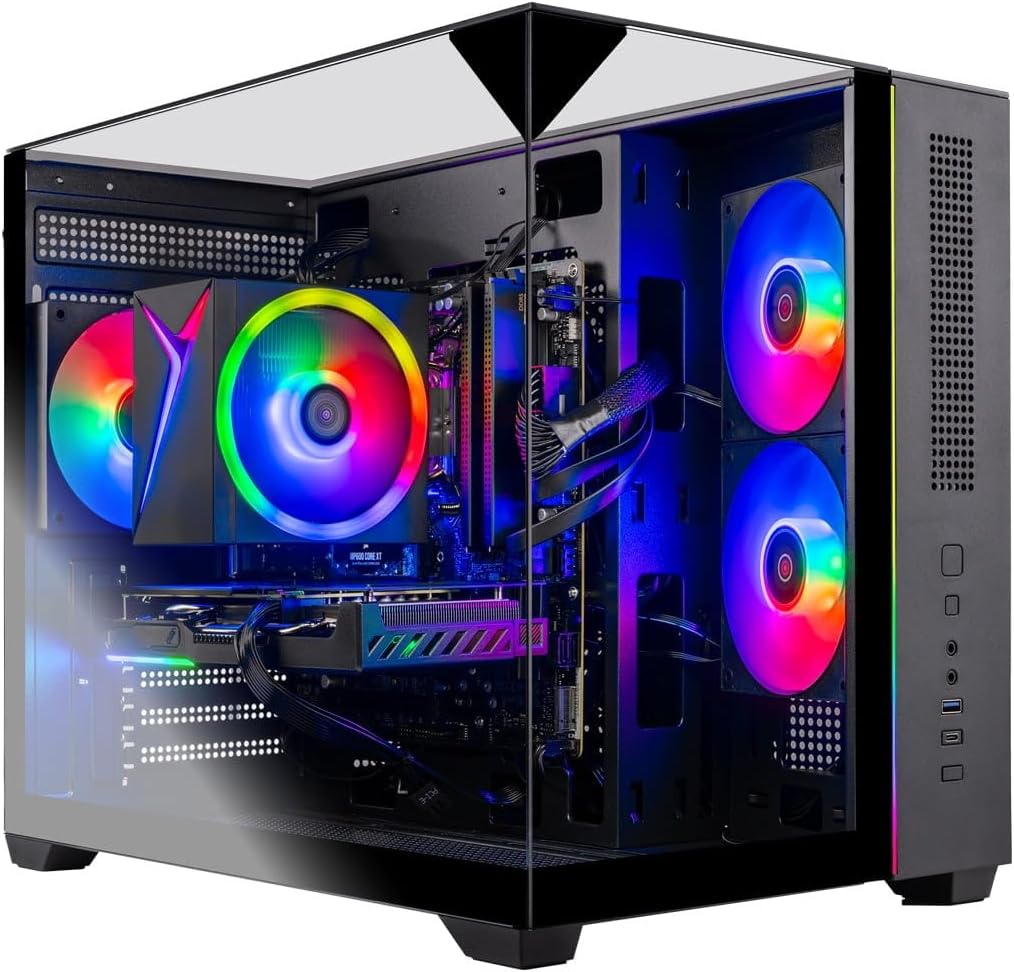
The Skytech Ryzen 7 7700 pairs a modern eight-core processor with the RTX 5060 Ti 8GB, 32GB of DDR5 memory, and a 1TB NVMe SSD. It is a balanced option for competitors who want a current platform and plenty of memory for multitasking.
The Ryzen 7 7700 offers strong performance for esports titles, and the RTX 5060 Ti handles 1080p gaming at high frame rates. The 32GB of DDR5 5600 memory supports multitasking, and the 1TB NVMe SSD provides fast load times. The triple tempered-glass case and air cooler are standard for the price.
The main limitation is the 8GB of graphics memory, which leaves less headroom for future titles at higher settings. WiFi 5 is older than WiFi 6, though a wired connection is preferable for competitive play.
This desktop makes sense for a competitor who wants a modern CPU platform and ample memory for 1080p esports. If you want more graphics headroom, the RTX 5070 models are a step up.
A current-generation processor and DDR5 memory provide a more future-proof foundation than older platforms, which can matter if you plan to keep the desktop for several years.
Players who want more graphics headroom for future titles should compare the RTX 5070 models. Anyone who needs the newest wireless standard should plan for a wired connection.
As an Amazon Associate we earn from qualifying purchases, at no additional cost to you.
Competitive esports puts a premium on frame rate, consistency, and responsiveness. The right desktop depends on the titles you play, your monitor's refresh rate, and how much multitasking you do.
Esports titles often run at high frame rates and rely on the processor to keep up with game logic, physics, and input. A CPU with strong single-thread performance and enough cores helps maintain consistent frame pacing. The desktops here range from the six-core Ryzen 5 5500 up to the 24-core Core i9-14900KF and the twelve-core Ryzen 9 7900X. For most competitive players, a modern eight-core processor is a comfortable baseline.
AMD's X3D processors, such as the Ryzen 7 9800X3D and 9850X3D, include a large cache that can improve performance in games sensitive to memory latency. That can be useful in esports where consistent frame times matter. However, the benefit varies by title.
If you stream or multitask heavily, prioritize more cores. If you mainly play esports titles, a fast eight-core processor is usually sufficient, and the extra money may be better spent on a higher refresh monitor.
The graphics card determines how many frames per second the PC can render. For esports at 1080p, a mid-tier card like the RTX 5060 or RTX 3060 Ti is often enough to hit high frame rates. For 1440p or very high refresh rates, an RTX 5070 or better provides more headroom. The RTX 5080 sits at the top of this comparison.
The amount of graphics memory matters less for esports than for AAA games, but 8GB cards leave less headroom for future titles. Cards with 12GB or 16GB provide more flexibility. The GPU also affects input latency through features like Reflex in supported titles.
Match the GPU to your monitor. If you have a 144Hz display, a mid-tier card may be enough. If you have a 240Hz or 360Hz display, prioritize the RTX 5070 Ti or RTX 5080.
16GB of RAM is enough for esports gaming by itself, but competitive players often run voice chat, a browser, and other tools at the same time. Moving to 32GB gives more headroom and reduces the chance of slowdowns when multitasking. Most desktops in this comparison offer 32GB, while the Ryzen 7 RX 6500 XT desktop and RTX 3060 Ti desktop use 16GB.
Memory speed matters less than capacity for esports, though faster DDR5 can help in CPU-limited scenarios. The Skytech models list DDR5 5600 or 6000, while some configurations use DDR4.
If you keep many applications open, choose 32GB. If you only run the game and voice chat, 16GB is workable but leaves less room for growth.
Esports titles often have short match cycles, and fast storage reduces load times between games. The desktops here offer 512GB, 1TB, or 2TB NVMe SSDs. A 512GB drive is enough for a few titles but fills quickly with a large library. A 1TB drive is a reasonable middle ground, and a 2TB drive gives more freedom. NVMe drives are faster than SATA.
Storage is one of the easier components to add later, but prebuilt systems vary in accessibility. If you choose a smaller drive, check whether there is room for an additional M.2 drive.
Buyers with large game libraries should prioritize 1TB or 2TB. If you only keep a few esports titles installed, 512GB is manageable.
Competitive players often practice for hours, and sustained performance depends on cooling. The 360mm AIO liquid coolers on the Skytech models are the most aggressive setups, while the MSI Codex uses air cooling with four case fans. A good air cooler can handle a Ryzen 7 in esports, but a large liquid cooler generally offers more thermal headroom and can run quieter.
Case airflow matters as much as the cooler type. Look for a case with intake and exhaust fans and enough clearance for the graphics card. Tempered-glass panels look good but can restrict airflow if the case design lacks vents.
If you practice for long sessions, prioritize a model with strong cooling. For shorter sessions, a good air cooler is sufficient.
A competitive setup often includes a high-polling-rate mouse, a mechanical keyboard, a headset, and sometimes a capture card or streaming accessories. Having enough USB ports, and the right types, matters. The CyberPowerPC i9 and Ryzen 7 8700F models list USB-C ports, while some other models do not. Check that the ports you need are present and accessible.
For competitive play, a wired Ethernet connection is generally preferred for stability. WiFi 6 on several models and WiFi 5 on others provide wireless options. Bluetooth is useful for wireless headsets.
Match the connectivity to your setup. If you use many USB peripherals, prioritize a desktop with plenty of USB-A and USB-C ports. For competitive play, a wired connection is the most reliable choice.
Set up your desktop with adequate airflow, keeping clearance around the case vents. Connect your monitor to the graphics card output rather than the motherboard output, and use a wired Ethernet connection for the most stable online play. Connect your mouse and keyboard to USB ports that are not shared with high-bandwidth devices if possible.
Keep the cooling system clean by checking the case fans and radiator for dust every few months. Dust reduces airflow and can cause higher temperatures and louder fan noise. Use compressed air to clean the fans and vents while the system is off.
Update your graphics drivers and game clients regularly, as performance and compatibility can improve with new releases. Close unnecessary background applications before a match to free up memory and CPU resources. Configure your monitor's refresh rate in Windows and in-game settings to make sure you are getting the full benefit of your hardware.
A modern eight-core processor is a comfortable baseline for most esports titles. If you stream or multitask heavily, a processor with more cores like the Ryzen 9 7900X or Core i9-14900KF provides more headroom. High single-thread speed also matters for frame rates.
Many esports titles run well on mid-tier cards at 1080p. A high-end card like the RTX 5080 is most useful if you play at 1440p or want the highest refresh rates. For 1080p at 144Hz, a mid-tier card is often sufficient.
16GB is enough for the game and voice chat. However, competitive players often run a browser and other tools at the same time, so 32GB provides more headroom and reduces the chance of slowdowns.
Esports titles are often smaller than AAA games, but a collection can still take up space. A 512GB drive is enough for a few titles, a 1TB drive is a reasonable middle ground, and a 2TB drive gives more freedom.
A good air cooler can handle a modern CPU during esports. A 360mm liquid cooler generally provides more thermal headroom and can run quieter during long practice sessions. If you practice for hours, liquid cooling is a worthwhile consideration.
Yes. A higher refresh rate monitor can only show more frames if the PC can render them. To take advantage of a 240Hz or 360Hz display, you need a graphics card and processor that can sustain those frame rates in your chosen titles.
A wired Ethernet connection is generally more stable and is preferred for competitive play. WiFi 6 or WiFi 7 can work well with a strong signal, but wired is the safer choice for minimizing latency and packet loss.
A typical setup uses a mouse, keyboard, headset, and possibly a microphone or capture card. That can require four to six USB ports. Check the desktop's port count and types, and consider a powered USB hub if you need more.
Many prebuilt desktops allow memory, storage, and sometimes graphics card upgrades, but it depends on the case size, power supply, and motherboard. Check the power supply wattage and available drive bays before buying if you plan to upgrade.
The CyberPowerPC i9-14900KF is the strongest overall choice in this comparison for competitive esports. Its fast 24-core processor, RTX 5070 12GB, 32GB of memory, 2TB SSD, and liquid cooling make it well suited to high-refresh-rate play and multitasking.
For players who want the highest possible frame rates, the Skytech Ryzen 7 9850X3D with the RTX 5080 offers the most graphics power here. The Skytech Ryzen 7 9800X3D with the RTX 5070 Ti is a premium alternative with a 2TB SSD and strong gaming performance. Budget-conscious competitors should consider the CyberPowerPC Ryzen 7 8700F or the Ryzen 7 RX 6500 XT desktop for 1080p play.
Your final decision should start with your monitor and the titles you play most. Prioritize the graphics card for your refresh rate, choose 32GB of memory if you multitask, and select enough storage for your library. The right desktop is the one that matches your setup and budget without paying for capability you will not use.